What Is Sharetribe Technology and When Should You Use It
Before You Build: Define the Marketplace Model
Step-by-Step: How to Launch a Marketplace with Sharetribe
What Can You Build with No-Code Sharetribe and What Requires Custom Development
Sharetribe Marketplace MVP: Must-Have Features
How Much Does It Cost to Build a Marketplace with Sharetribe
How Long Does It Take to Build a Sharetribe Marketplace
Common Mistakes When Building a Marketplace with Sharetribe
Subscribe and you will promptly receive new published articles from the blog by mail
It always starts the same way. You’re excited. You’ve got the vision, the audience, and the research to back it up. Then you see the custom development price tag – $120,000 and six months – and realize the features you actually need aren’t even on the roadmap.
That moment is exactly why Sharetribe exists.
Online marketplaces now account for 62% of global retail e-commerce, and the global retail e-commerce sales are projected to reach up to roughly $13 trillion by 2030. There’s real opportunity here. But the window favors founders who can move fast, validate early, and not blow their runway on infrastructure before they’ve found product–market fit.
Our guide is for people who want to actually build something, not just understand Sharetribe in theory. We’ll walk through how to build Sharetribe marketplace step by step, what decisions actually matter, where the platform shines, and where you’ll eventually need more firepower, with real examples from marketplaces we’ve built along the way.
- Sharetribe is built for two‑sided marketplaces – listings, payments, messaging, and reviews work immediately, no code required.
- Launch a no‑code MVP in 1–3 weeks; custom Extend‑plan builds take 6–16+ weeks.
- Costs: $2,000–$5,000 for a no‑code MVP year‑one vs. $80,000–$200,000+ for custom development.
- Launch supply‑first – recruit 20–30 quality providers before driving buyers to avoid an empty marketplace.
- Keep categories lean (3–8) and collect only essential onboarding info – add more later.
- Must‑have MVP: reviews, search/filters, complete transaction flow, in‑platform messaging, mobile‑responsive design.
- Custom code needed for matching algorithms, multi‑currency, native apps, deep integrations, or heavy UI changes.
- Avoid: launching both sides cold, over‑building pre‑validation, ignoring dispute processes, and skipping SEO.
What Is Sharetribe Technology and When Should You Use It
Sharetribe is a no-code marketplace platform that can also be extended with code when you need it. That might sound like every SaaS product ever, but the combination here is more genuine than most.
The no-code side is genuinely powerful: you can configure listings, transaction flows, onboarding, payments, and search without touching a line of code. The extensible side is equally serious: there’s a full API underneath, a React-based open-source frontend, and a growing ecosystem of Sharetribe developers who build on top of it professionally.
The Sharetribe technology is purpose-built for two-sided marketplaces. Not e-commerce stores. Not SaaS platforms. Specifically, the kind of platform where two groups of users need to find each other, trust each other, and complete a transaction.
If you’re wondering how Sharetribe looks like in practice: think of a clean, modern marketplace with search and filters, listing pages with photos and descriptions, in-platform messaging, a review system, and Stripe-powered payments. All of that works on day one, without writing a single line of code. That’s a meaningful head start.
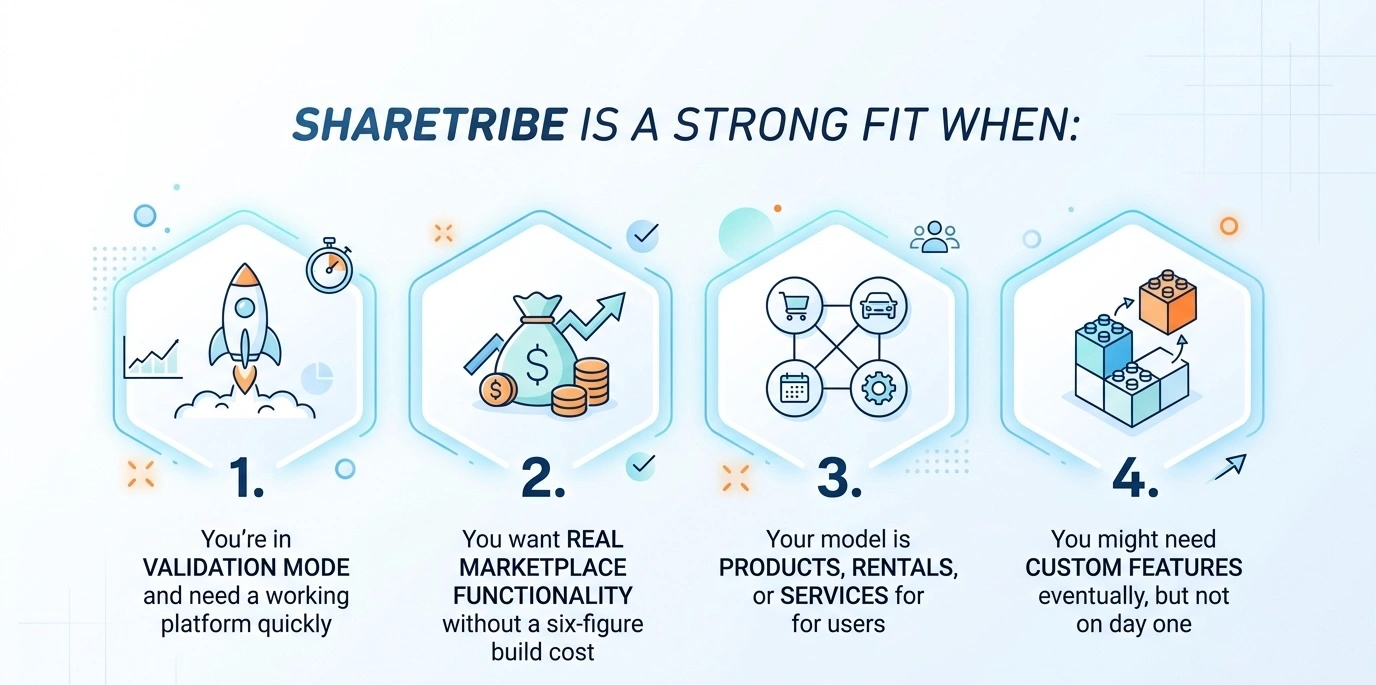
Where it gets more complicated: if your core product requires something highly specialized from the start (auction mechanics, complex matching algorithms, deep ERP integrations), you’ll be extending with code almost immediately. That’s still doable on Sharetribe, but it changes the economics significantly.
Before You Build: Define the Marketplace Model
Start with your marketplace type. The type matters because each has a different transaction flow, different trust requirements, and different timing for when money changes hands. For example, CareConnect, a healthcare service marketplace we built, needed a completely different approval and trust workflow than a peer-to-peer rental platform like Upisle.
Then define how you’ll make money. Sharetribe supports commission-based revenue natively: you take a percentage cut from each transaction. But some operators prefer charging providers a marketplace subscription fee instead, or adding a listing fee on top.
Map out both sides of your user base. Providers need a low-friction path to creating good listings and getting paid reliably. Buyers need search, trust signals, and a smooth checkout. These aren’t the same person, and designing for one at the expense of the other is one of the most common early mistakes.
One more thing worth doing before you touch the platform: spend an hour looking at similar marketplaces. Not to copy them, but to understand what conventions users already expect.
Step-by-Step: How to Launch a Marketplace with Sharetribe
What follows is a full Sharetribe marketplace tutorial – every stage from account creation through your first real launch. Each step builds on the one before it, so it’s worth following in order rather than jumping around.
Step 1: Create Your Sharetribe Account and Test Marketplace
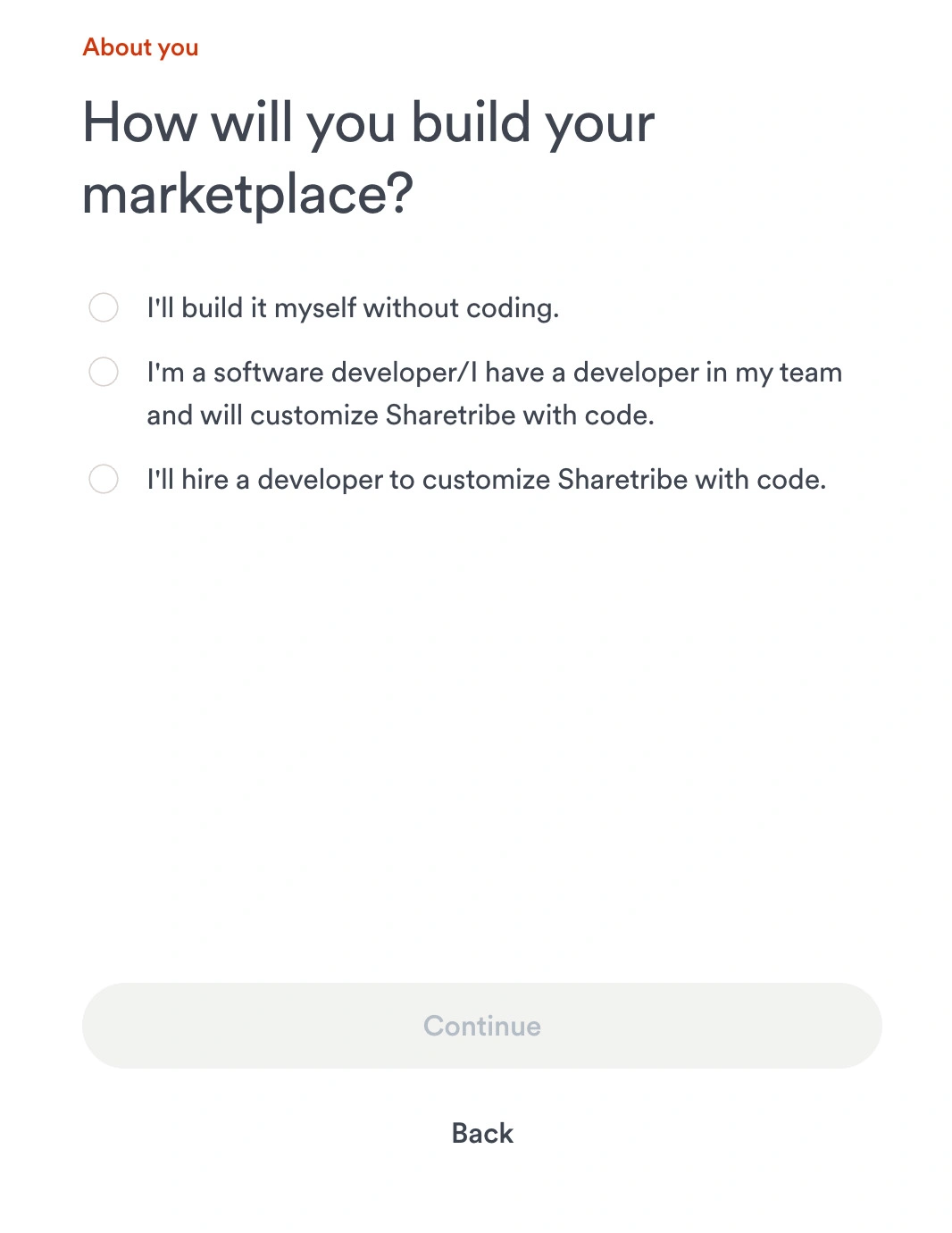
Go to sharetribe.com and click Start Free Trial. You’ll go through a short setup wizard (maybe five minutes) that asks about your marketplace type and niche. Sharetribe uses your answers to generate a pre-configured marketplace with sensible defaults. It’s a small thing, but it means you start with something that roughly resembles your idea rather than a blank page.
After the wizard, you land in Console, the admin interface where everything happens. Your test environment is fully functional from day one. You can create listings, simulate transactions, switch between buyer and provider accounts, and experience the platform exactly as your future users will. Don’t rush past this phase. The Build plan at $39/month is designed for this: unlimited test transactions, no payment processing, no real-money stakes. Use it to actually break things.
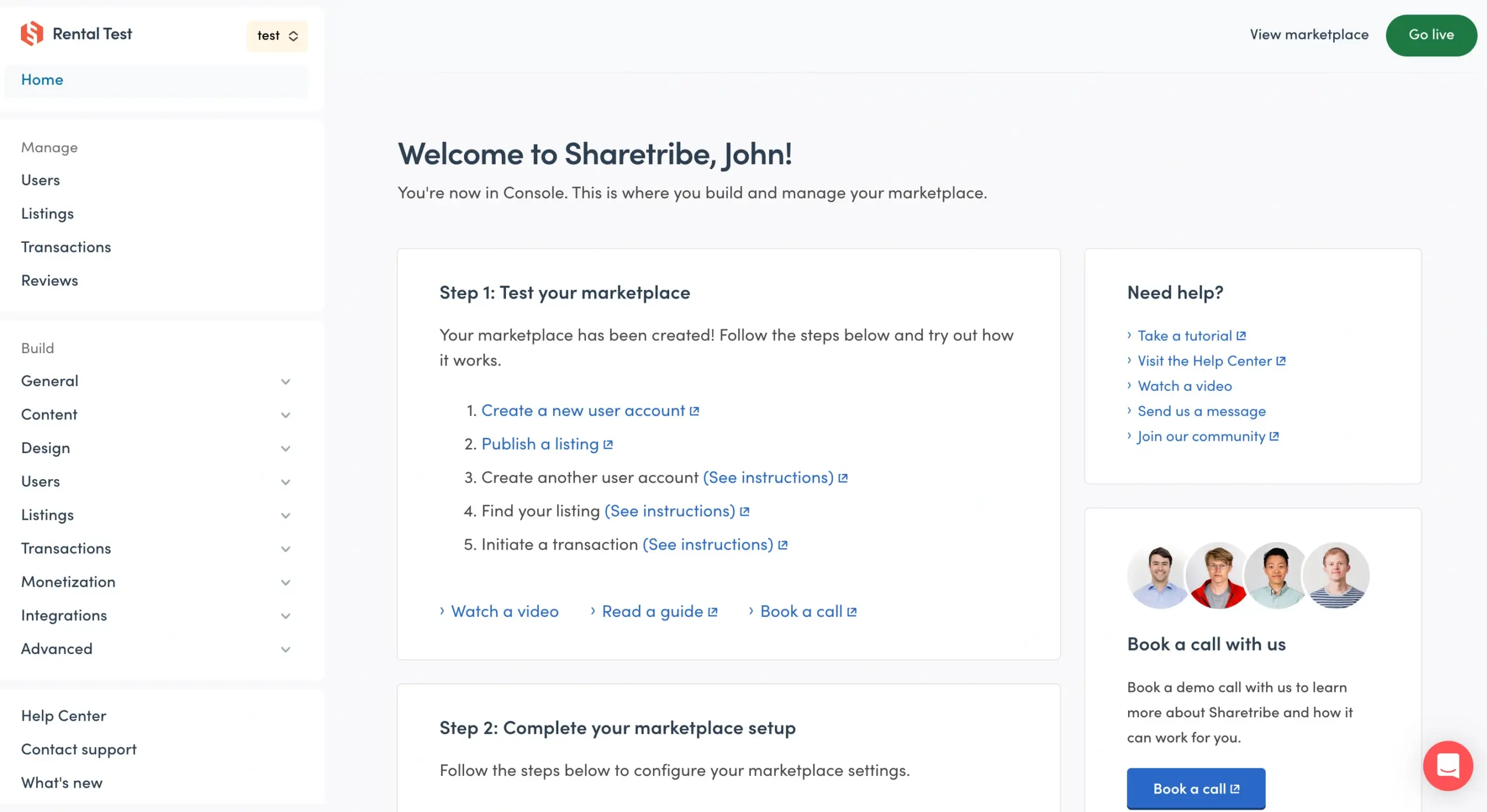
A note on mindset: many founders spend too little time in the test environment because it feels like practice rather than real work. It is real work. Every hour you spend understanding how to build Sharetribe platform now prevents a messy configuration fix after real users are on it.
Step 2: Configure Your Marketplace Basics
The basics are genuinely basic, but they matter more than you’d think. Start with your marketplace name, tagline, and contact details. These strings appear throughout the platform: in page titles, email subject lines, notification footers. If you leave them as the Sharetribe defaults, your platform will feel like a demo, not a real business.
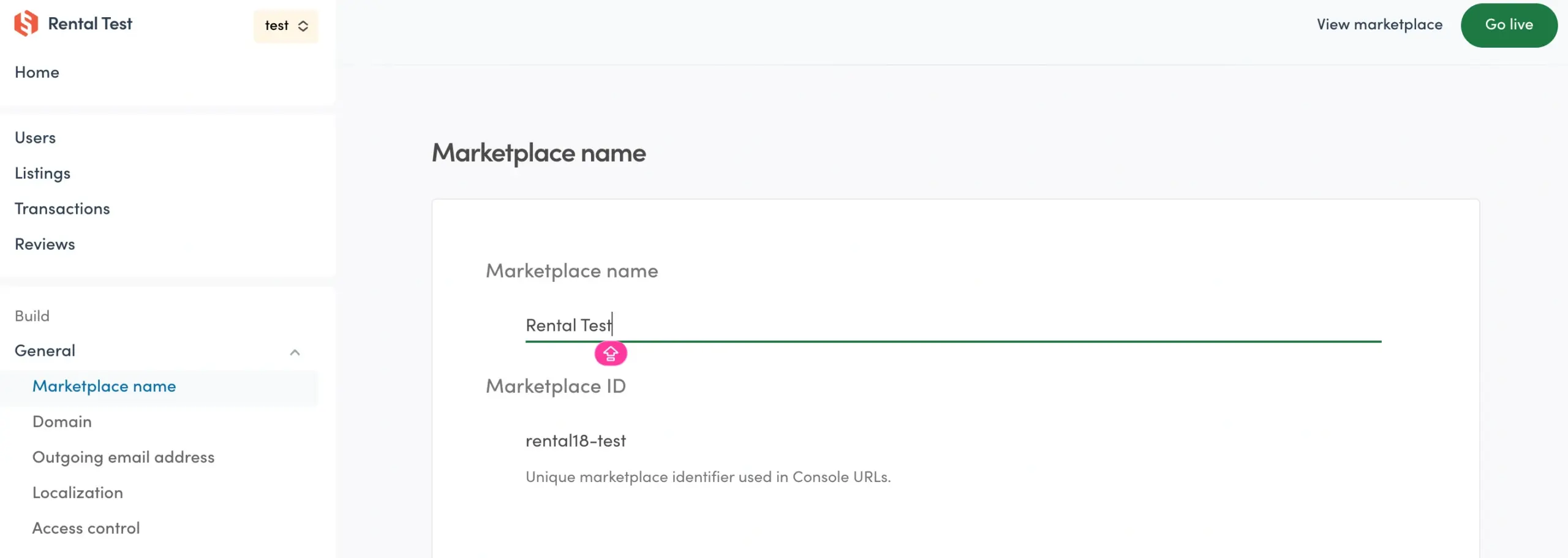
Set your timezone, default language, and currency. These are typically configured during the Step 1 setup wizard, but you can revisit and adjust them here. If you’re targeting users in multiple regions, Sharetribe supports localization, though full multilingual support beyond the basics usually requires custom code.
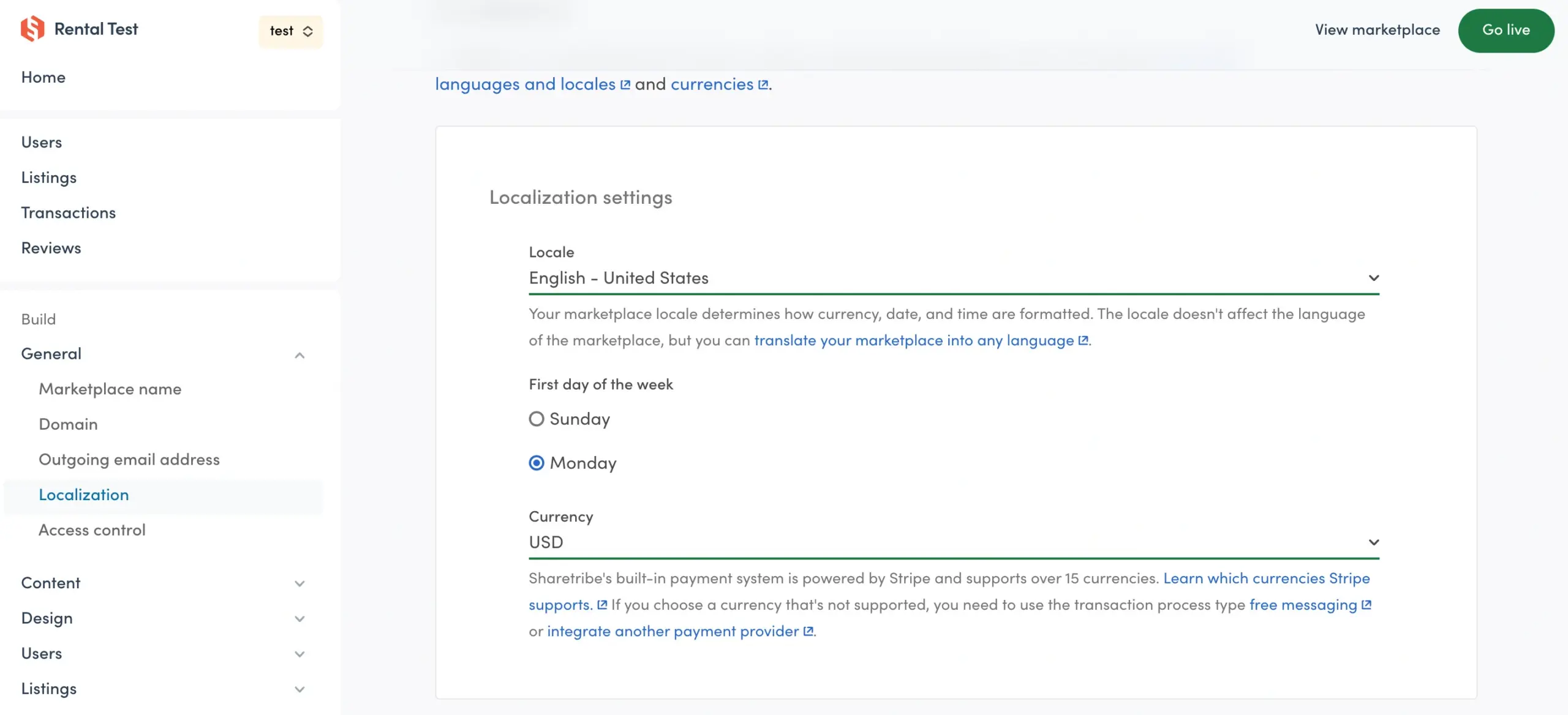
While you’re in Console, it’s also a good moment to connect the basic tools your marketplace needs from day one. At minimum: an analytics tool (Google Analytics or Mixpanel) so you have a baseline before launch, an email marketing platform (Mailchimp or ActiveCampaign) to stay in touch with users after they sign up, and a customer support chat (Intercom or Crisp) so new users can get answers without hitting dead ends. Some of these connect via simple script tags; others require API-level work or custom code to integrate properly – know the difference before you commit.
Step 3: Set Up Listings, Categories and Search Filters
This is where the Sharetribe marketplace setup process gets genuinely consequential. Your listing structure determines what information providers give you, what buyers can search for, and how the platform presents your inventory. Getting it wrong means rebuilding it once you have real users – annoying for you, disruptive for them.
Navigate to the Listings section in Console and configure your listing types, categories, and fields. Each listing type defines the core structure of an offer – what fields are shown, what categories they belong to, and how they appear in search.
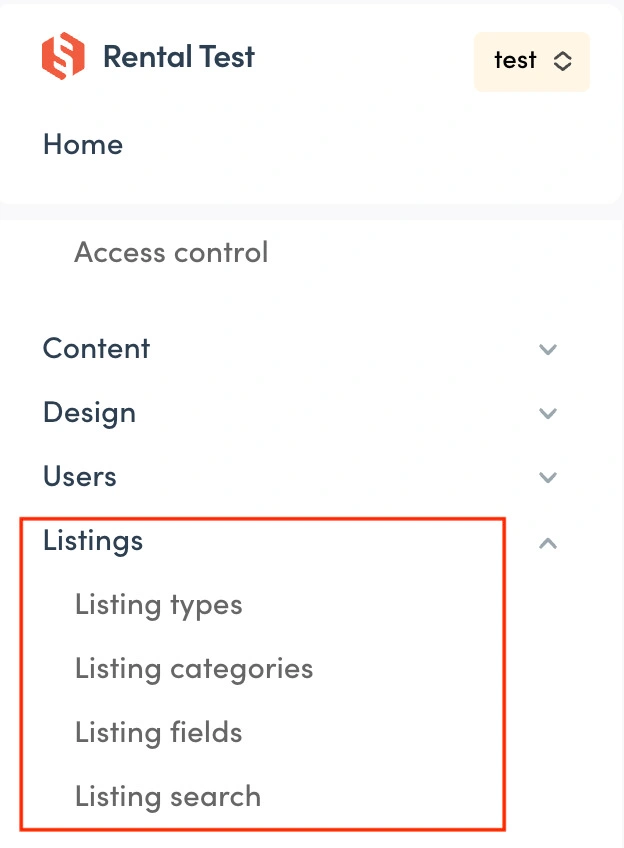
Think about this from both sides:
- Provider perspective: What do sellers need to communicate to make their offer clear and compelling?
- Buyer perspective: What information is essential for a buyer to make a confident decision?
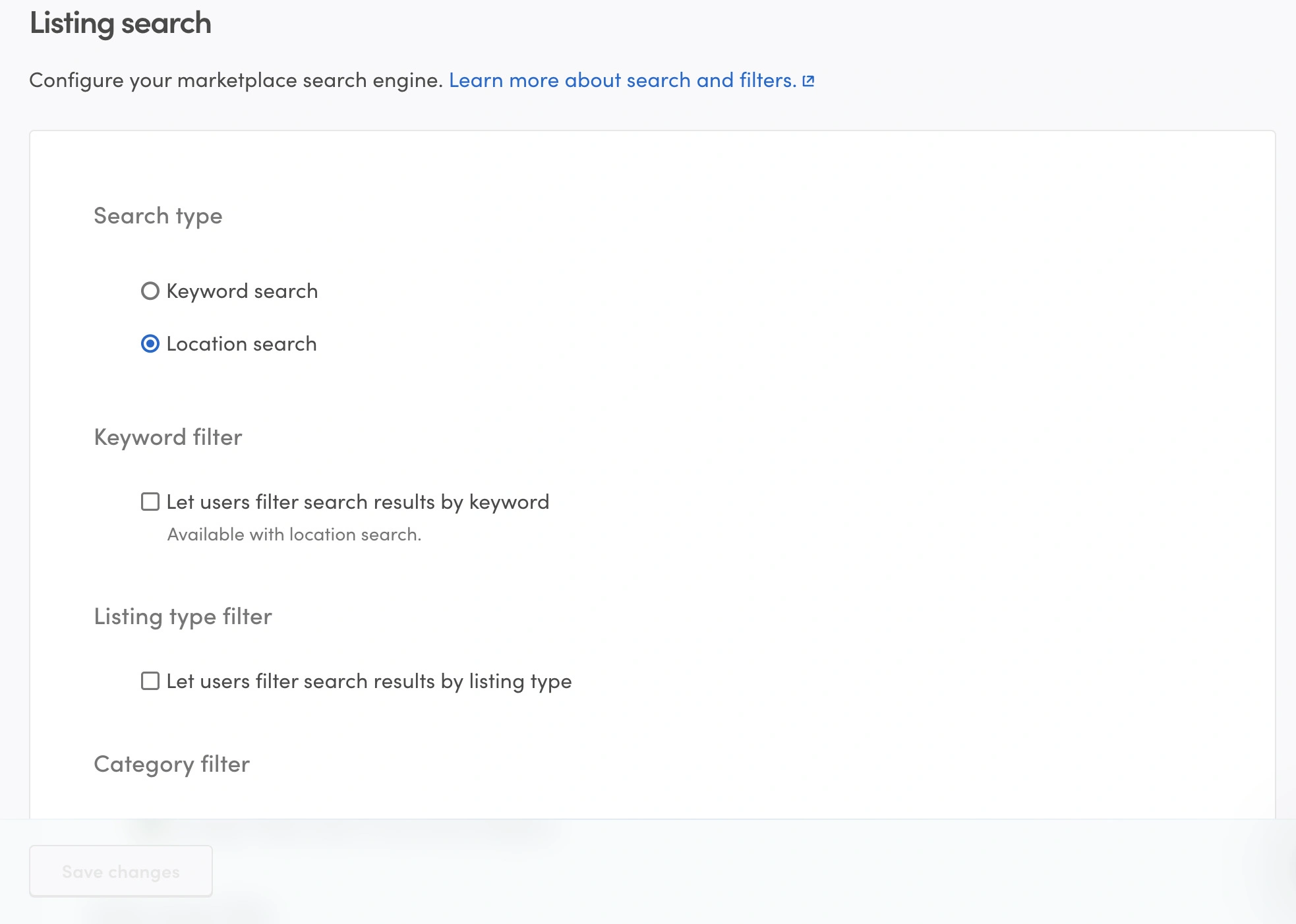
The overlap between these two questions is where your most important fields live. Use listing fields to capture that data, categories to organize offers logically, and listing search to ensure buyers can find exactly what they’re looking for with the right filters.
Build your category structure lean. Three to eight top-level categories is usually right for a new marketplace. More than that, and you’re creating empty shelves – nothing kills a marketplace’s credibility faster than a category with two listings in it. You can always expand as your supply grows.
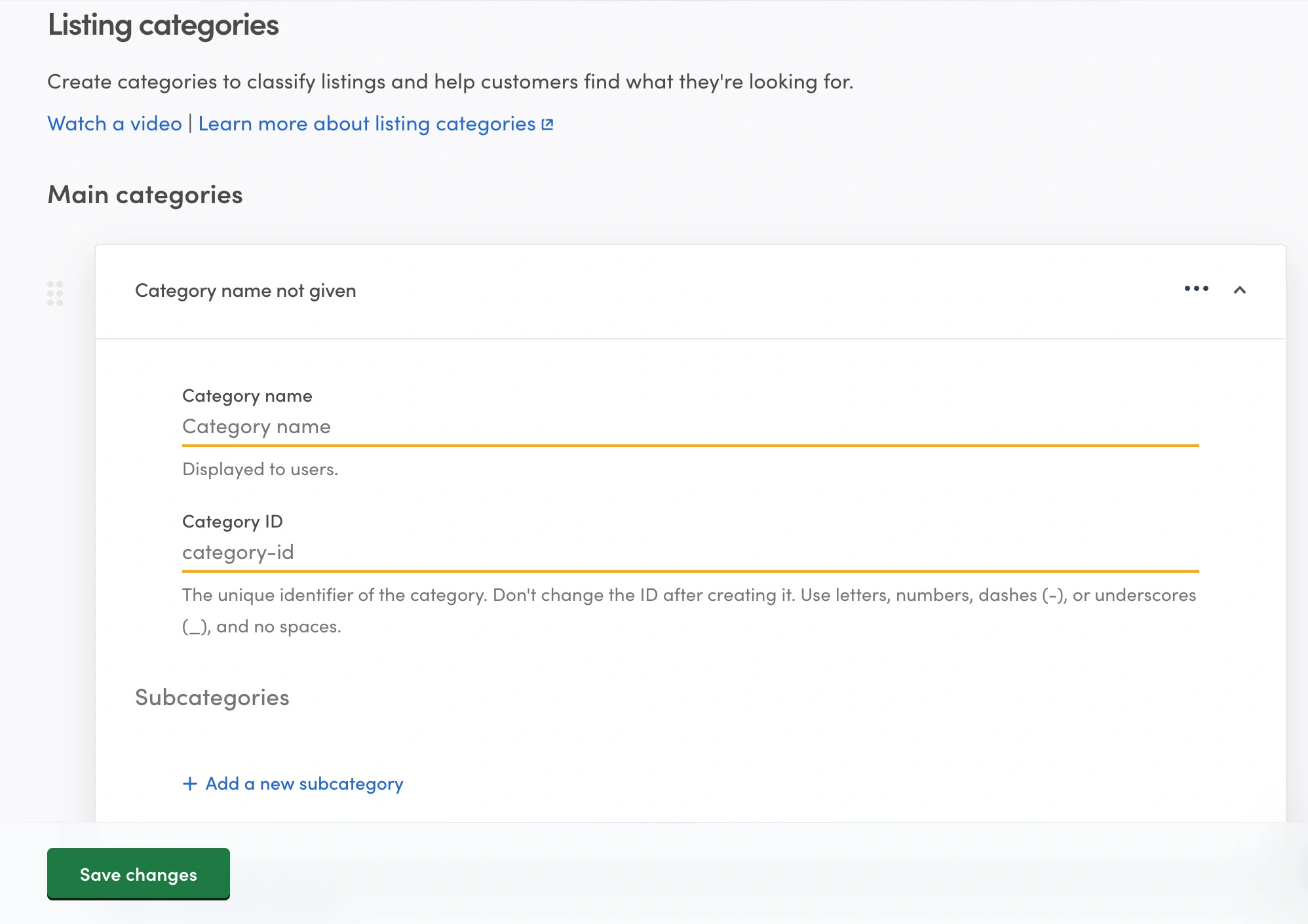
Configure your search filters around what buyers actually filter by: price range, location, availability dates, and specific attributes. This sounds obvious, but it requires knowing your users well enough to predict their search behavior. On HotPatch, a flexible space rental marketplace, location and space type turned out to be the filters that mattered most, not the ones we assumed going in. If you’re not sure, launch with minimal filters and add them based on what you observe.
Step 4: Configure User Onboarding
The Sharetribe marketplace setup for user onboarding is a balancing act that most founders get wrong in one of two directions: they ask for too much and kill their sign-up conversion, or they ask for too little and end up with empty profiles that no one trusts.
One decision that shapes everything here: User Types. Sharetribe lets you define distinct user types: for example, “Provider” and “Customer,” or custom roles specific to your category. Each type can have its own onboarding flow, profile fields, and permissions. If your marketplace has meaningfully different experiences for different kinds of users (say, a service provider vs. a business buyer), configuring user types early prevents a lot of rework later.
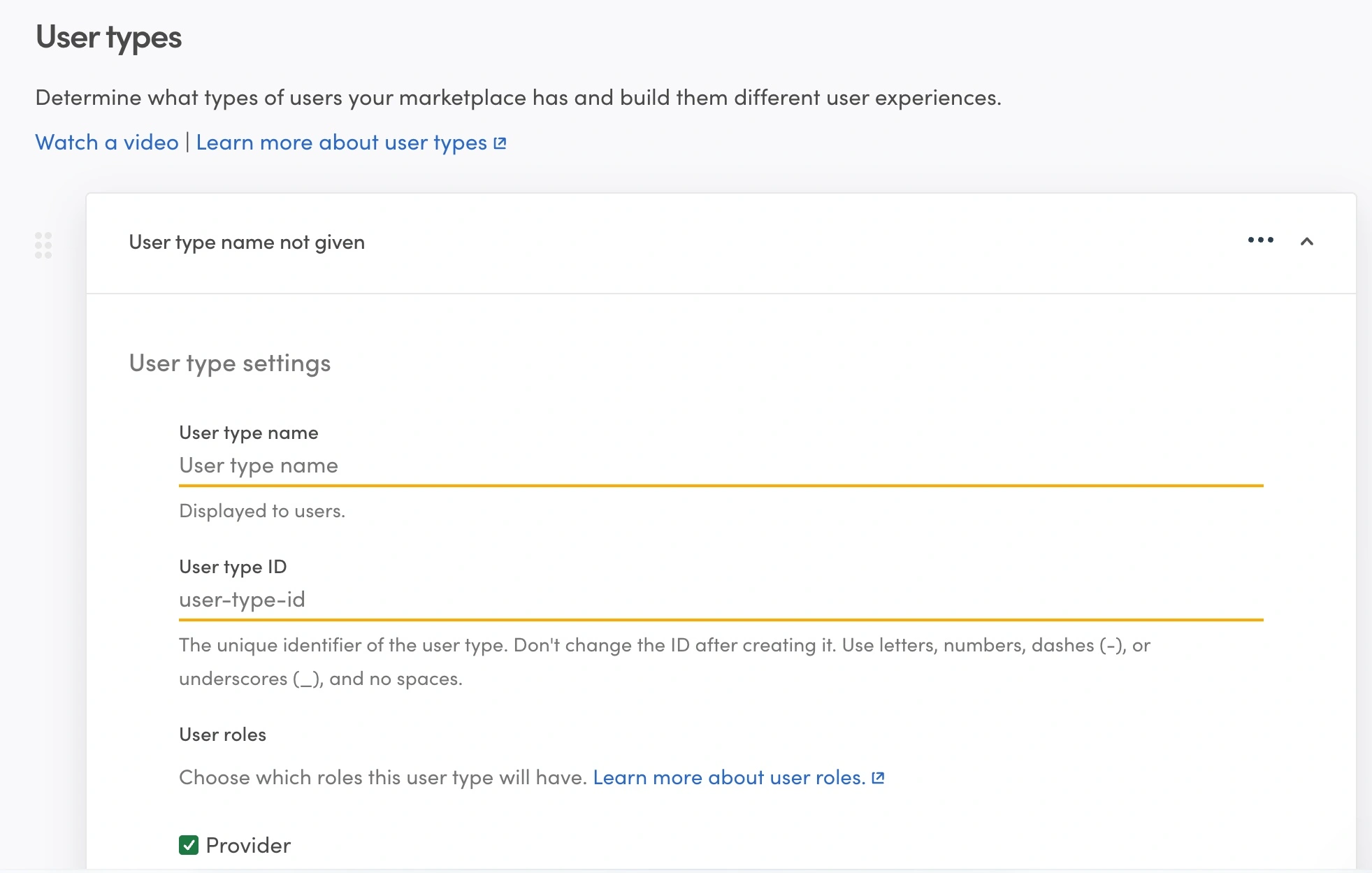
The better approach: ask for what you need to make the first transaction work, and nothing more. Name, email, a profile photo for providers, and whatever information is essential to your specific category. Everything else can be collected progressively – after a user has already decided they want to be on your platform.
You’ll also configure email verification here, and decide whether providers need manual approval before they can post listings. An approval workflow gives you quality control and communicates seriousness to buyers, but it slows your supply-side growth.
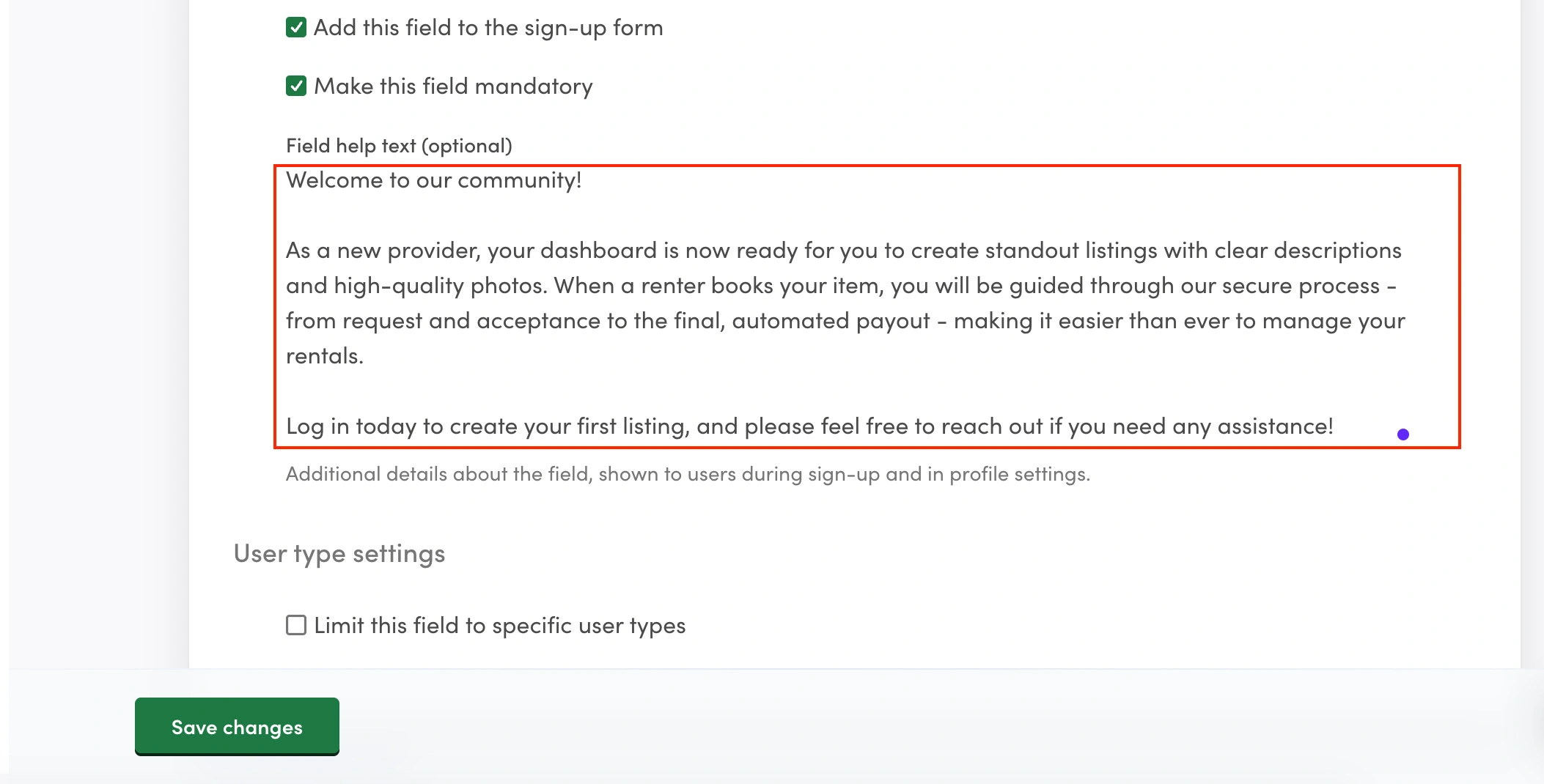
One thing people often overlook: write proper onboarding emails. Not just “Here’s your verification code.” Tell new providers what to expect, how to create a great listing, and what the transaction process looks like. The users who get good onboarding emails engage significantly more than those who don’t.
Step 5: Define Your Transaction Flow
The transaction flow is the heart of your marketplace, and honestly, it’s where figuring out how to use Sharetribe to build a platform gets most interesting. You’re configuring the exact sequence of steps that happen when a buyer engages with a listing.
A typical rental marketplace flow might look like: buyer sends a booking request → payment gets authorized → provider accepts → booking confirmed → rental period runs → payment releases to provider → both sides leave reviews. A service marketplace might skip the request step entirely and let buyers pay instantly.
Think about where trust is earned at each stage. Payments held in escrow until a service is confirmed as delivered protect buyers. A short window where providers can decline requests protects providers from bookings that don’t fit their calendar. Neither of these is the default in every scenario, you’re configuring them deliberately.
You can also run a “contact only” model with no payment processing, where the platform just connects buyers and providers. This works for certain categories and is much simpler to set up, but you lose the commission and the data. For most marketplace models, it’s worth doing the payment flow properly from the start. Roobykon Software’s team has also built more advanced flows on top of Sharetribe, like RFQ and price negotiation for marketplaces where fixed pricing doesn’t work.
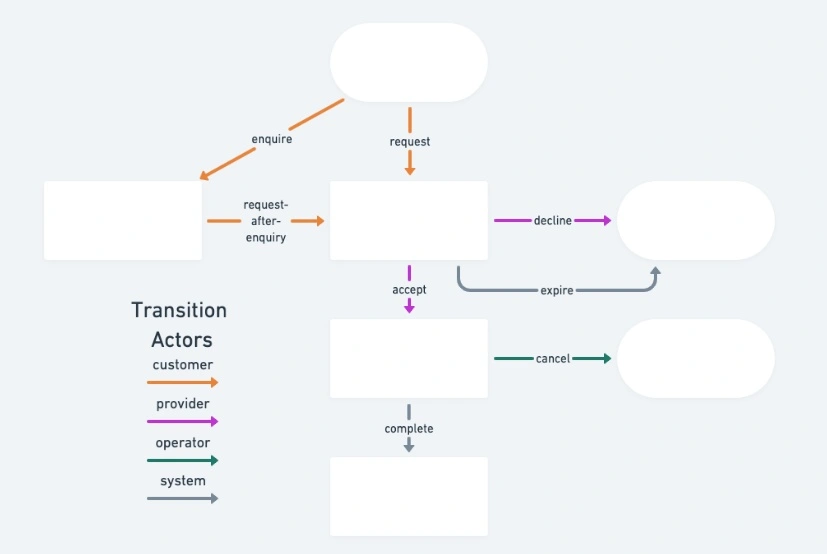
Source: https://www.sharetribe.com/docs/concepts/transactions/transaction-process/
Step 6: Set Up Payments and Commissions
Sharetribe uses Stripe Connect for payment processing, which is the right call – Stripe Connect is the standard for marketplace payments because it handles the regulatory complexity of moving money between multiple parties. You’ll connect your Stripe account when you go live.
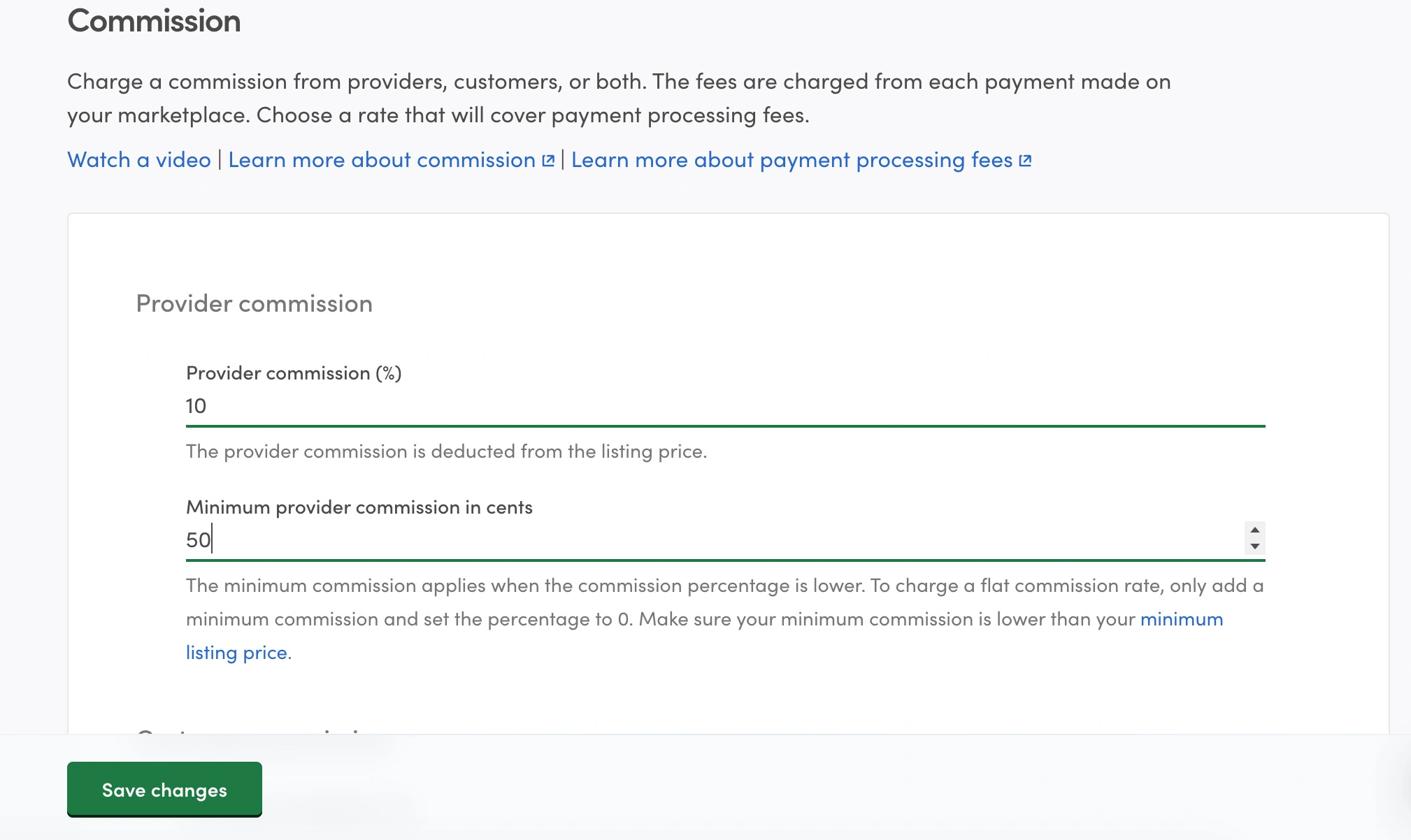
Commission configuration is straightforward but worth thinking through carefully. You can charge the buyer side, the provider side, or both. The Airbnb model charges mostly providers. The eBay model splits. Some platforms charge only buyers. There’s no universally correct answer: it depends on which side of your marketplace is harder to acquire and how sensitive each side is to fees.
The payout delay setting is underrated. How long after a transaction completes before the provider receives their money? A 48-hour hold gives you time to intervene in disputes. A 7-day hold is more protective but makes your platform less attractive to providers who depend on cash flow.
Step 7: Test the Full Marketplace Flow
A marketplace without integrations is a marketplace that’s flying blind. You need to know what users are doing, be able to reach them after they leave, and support them when things go sideways. Here’s what to prioritize.
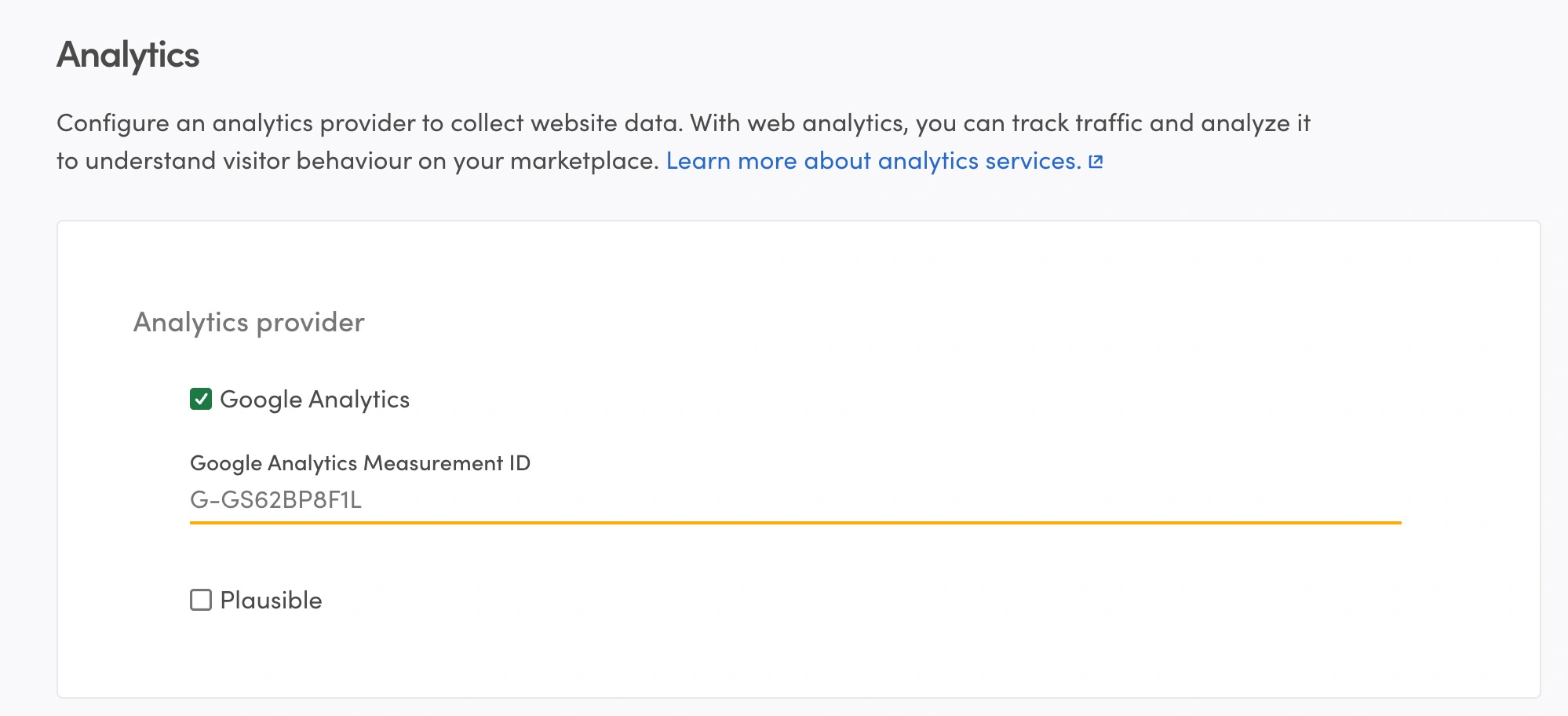
Analytics comes first. Google Analytics or Mixpanel will tell you where users drop off, which listing pages perform, and whether your onboarding actually works. Set this up before launch, not after, so you have a baseline.
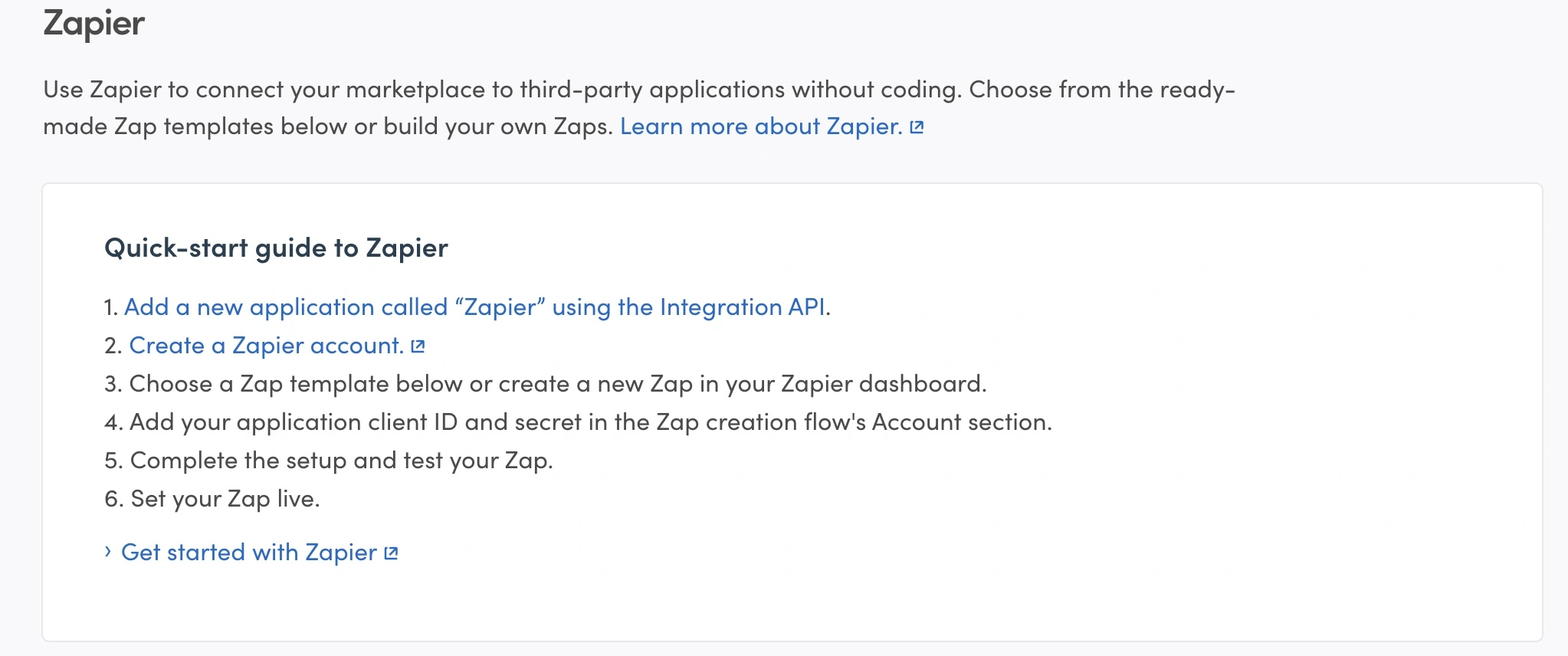
Email marketing is second. While you can connect Mailchimp or ActiveCampaign via Zapier to send targeted sequences , Zapier itself acts as the central bridge – it’s a powerful no-code tool that connects your Sharetribe data to over 5,000 apps, automating workflows like adding new users to mailing lists. The platforms that grow are the ones that stay in touch.
Customer support chat (Intercom, Crisp, or similar) dramatically reduces friction for confused new users. Someone who gets an instant answer stays. Someone who hits a wall and can’t find help leaves and doesn’t come back.
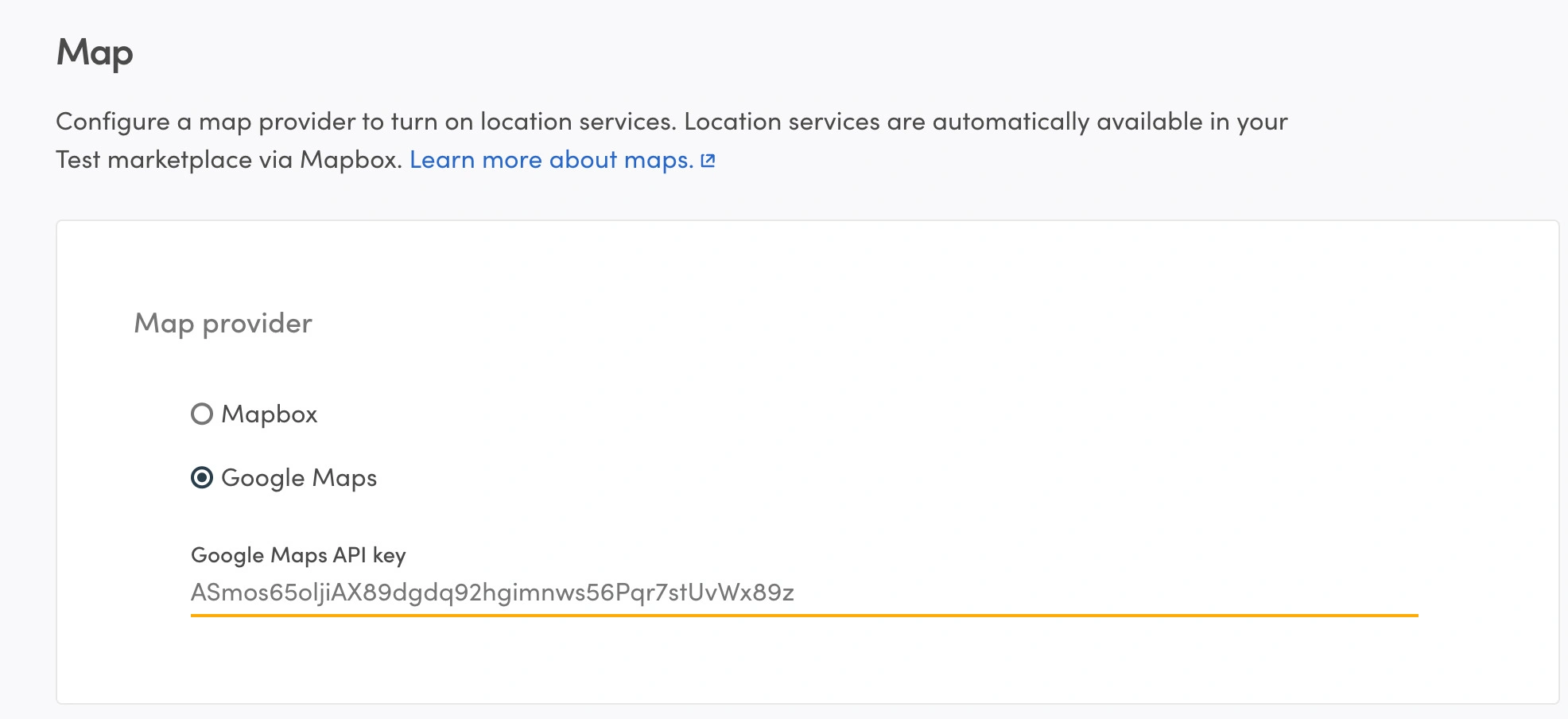
Location services are essential for many marketplaces. Sharetribe supports both Google Maps and Mapbox to power location search and listing maps. Mapbox is often recommended for its generous free tier and GDPR compliance .
Depending on your category, identity verification (Veriff, Stripe Identity) for high-trust categories like home rentals or professional services. Some integrations plug in easily via script tags; others need API-level work or custom code, and some require dedicated third-party tools to connect properly with Sharetribe. Know which is which before you commit.
Step 8: Launch with a Controlled MVP
Here’s the thing about how to launch a marketplace with Sharetribe: the launch itself isn’t really the hard part. The hard part is having enough supply and enough demand to create genuine value for both sides on day one. Without that, you’re not launching – you’re opening an empty store.
The approach that works: recruit providers first. Reach out personally to 20–30 people who could be great providers on your platform. Help them create their first listings. Make sure those listings are good. Then, once you have real supply, start driving buyer traffic.
This is called a supply-first launch, and it’s how almost every successful peer-to-peer marketplace has been built. A buyer who shows up to an empty platform doesn’t come back. A buyer who finds 25 great listings their first visit might actually transact.
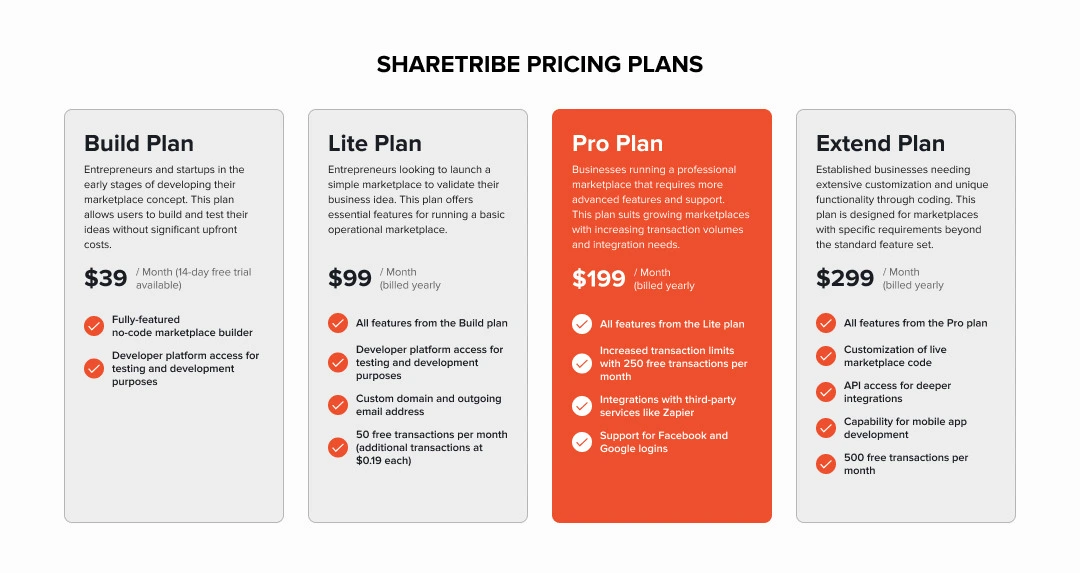
For your Sharetribe subscription going live: the Lite plan at $99/month gets you real payment processing and 50 free transactions per month (additional ones are $0.19 each). The Pro plan at $199/month adds a custom domain, which matters for how professional your platform feels. The Extend plan at $299/month unlocks full code access. Start where your actual needs are, not where you think you might eventually be.
What Can You Build with No-Code Sharetribe and What Requires Custom Development
One of the most practical questions for any how to build Sharetribe marketplaces topic is: where exactly does the no-code tool end and where does custom development begin? Here’s an honest, direct answer.
With the no-code platform, you can build a genuinely functional marketplace. We’re talking full transaction flows for products, rentals, bookings, and services. User profiles and reviews. Stripe-powered payments with commission collection. Listing categories, search filters, and map-based search. Automated email notifications. Content pages and a customizable homepage.
Where you’ll run into limits:
- Custom matching algorithms (connecting buyers with the most relevant providers based on complex criteria)
- Multi-currency handling or split payments beyond standard commission models
- Native iOS and Android apps
- Deep integrations with ERP, CRM, or proprietary inventory systems
- UI design that significantly departs from Sharetribe’s frontend patterns
- Auctions, bidding, or advanced pricing logic
The question “Can I change the platform marketplace Sharetribe” comes up a lot, and the answer is yes – with the Extend plan, you get full access to how to implement Sharetribe opensource frontend (React-based, connected to the Marketplace API). That opens up almost any customization you can imagine, assuming you have the development resources to build it.
Sharetribe Marketplace MVP: Must-Have Features
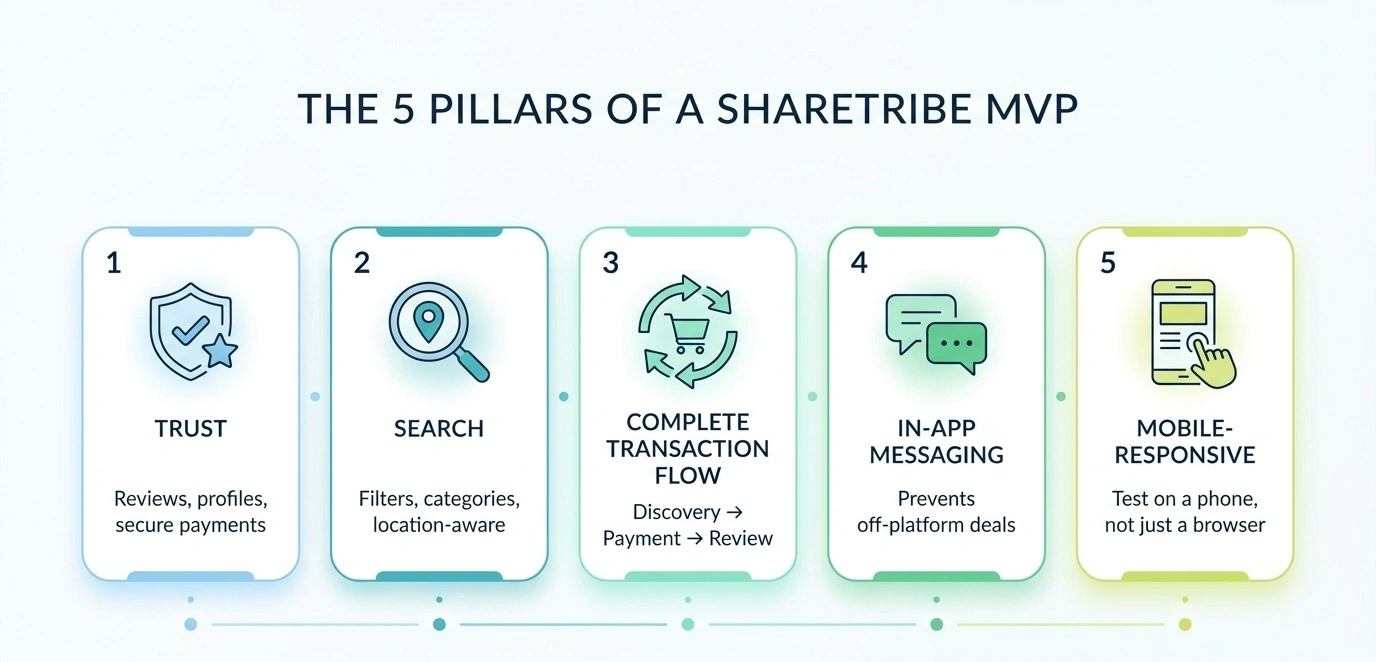
Not everything belongs on your v1 roadmap. In fact, most things don’t. Here’s what absolutely must work before you launch.
- Trust infrastructure. Buyers don’t transact on platforms where they can’t tell good providers from unreliable ones. That means reviews and ratings, real provider profiles with photos and descriptions, and payment security.
- Functional search and discovery. If a buyer can’t find what they’re looking for within about two minutes, they leave and they don’t come back. Relevant categories, working filters, and ideally, location-aware search if your marketplace has a geographic dimension. Make it easy to browse even if someone doesn’t have a specific query in mind.
- A complete transaction flow. This one is non-negotiable. If the path from listing discovery to completed transaction has a dead end anywhere, users will work around it, usually by taking the transaction off your platform. The entire loop needs to close: discovery, inquiry or booking, payment, completion, review.
- In-platform messaging. Buyers and providers need to communicate before committing to a transaction, especially for services or anything involving customization. Without it, they exchange emails in the first message and cut you out. With it, every conversation is on your platform and contributes to trust.
- Mobile-responsive design. Mobile accounts for nearly 60% of online retail in 2026. Sharetribe’s default themes are responsive, but test the actual flow on an actual phone before you launch. Don’t assume.
Everything else – featured placements, subscription tiers, advanced analytics dashboards, a native app – is version two. The goal of the MVP isn’t to impress. It’s to learn.
How Much Does It Cost to Build a Marketplace with Sharetribe
Our honest answer: it depends enormously on how much custom work you need. But let’s put real numbers on it.
The Sharetribe subscription itself is the cleanest part of the budget. In 2026, the tiers are: Build at $39/month (test environment only, no live payments), Lite at $99/month (live transactions, 50 free per month), Pro at $199/month (custom domain, 250 free transactions), and Extend at $299/month (full code access, 500 free transactions). Extra transactions beyond your plan’s allowance cost $0.19 each. It’s a usage-based model – your costs scale with actual marketplace activity, not with arbitrary feature tiers.
Beyond the platform, the real variables:
- Domain: ~$15–20/year. Hosting is included in your Sharetribe subscription.
- Custom Design and Development: a custom landing page and brand kit runs $1,000–$5,000 with a decent designer; if you need features beyond the no-code toolkit, experienced Sharetribe developers typically quote $3,000–$30,000+ depending on scope and complexity
- Third-party tools: analytics, email, support, and verification services each carry their own costs – budget $100–$500/month for a basic stack
For a pure no-code MVP in year one, the realistic all-in number sits around $2,000–$5,000. Compare that to a custom-built marketplace at $80,000–$200,000+, and the value proposition becomes pretty clear.
How Long Does It Take to Build a Sharetribe Marketplace
Sharetribe says you can launch in a day, and that’s technically true – the same way you can technically write a novel in a weekend. Not wrong, just not the full picture.
More realistic timelines:
- No-code MVP ready for first real users: 1–3 weeks
- No-code MVP with custom landing page and brand polish: 3–6 weeks
- Extend plan with custom frontend features: 6–16 weeks depending on scope
- Full custom implementation using Sharetribe as the backend: 3–6 months
Time drains are predictable: listing fields take longer than expected, transaction flows require deep category knowledge, and onboarding choices have downstream consequences that only surface with real users.
An experienced Sharetribe partner compresses this significantly – they’ve already made the mistakes and know where the tricky configs live. What takes a first-timer a week of research gets solved in one conversation
Common Mistakes When Building a Marketplace with Sharetribe
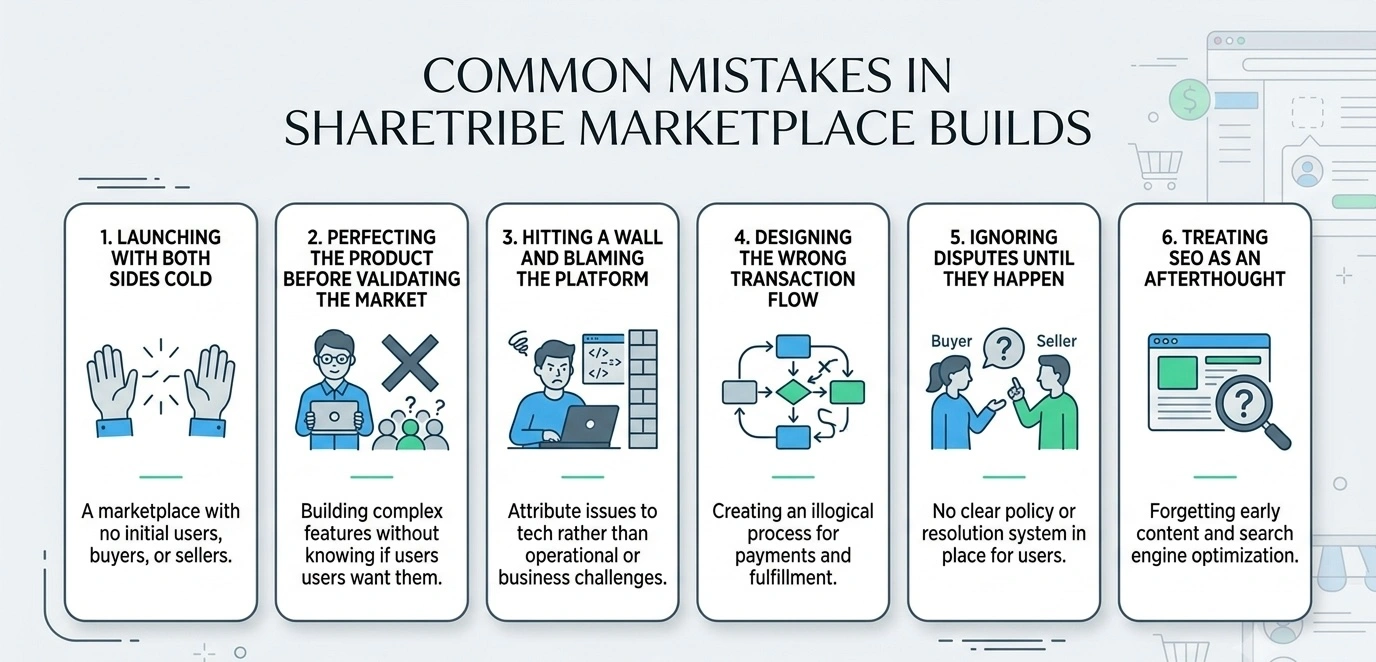
Most of the expensive mistakes in Sharetribe builds aren’t technical. They’re decisions. Here’s the shortlist of what actually goes wrong.
Launching with both sides cold
The two-sided marketplace chicken-and-egg problem is real. No supply means buyers leave disappointed. No buyer traffic means providers don’t bother maintaining their listings. The fix is always to solve supply first – get 15 to 20 real, quality listings before you send a single buyer to the platform.
Perfecting the product before validating the market
It’s easy to spend three weeks tweaking listing fields, rewriting email copy, and obsessing over the landing page before any real user has seen the platform. This feels productive. It isn’t.
Hitting a wall and blaming the platform
A lot of founders try to build something beyond the no-code toolkit, can’t figure it out, and conclude that Sharetribe “can’t do it.” Before reaching that conclusion, it’s worth understanding what the Extend plan and how to implement Sharetribe opensource actually unlocks. The answer is often “more than you thought.”
Designing the wrong transaction flow
Too many steps kills conversion. Too few kills trust. The right flow depends on the risk level and complexity of your specific transaction type. A $15 craft supply purchase needs a different flow than a $2,000 photography rental.
Ignoring disputes until they happen
What’s your policy when a buyer claims a service wasn’t delivered? When a provider says a rented item was damaged? Your payout timing and your dispute resolution process need to be configured before these scenarios come up, not invented on the fly when an angry user is waiting.
Treating SEO as an afterthought
Sharetribe generates listing and category pages that can rank in organic search, but only if they have real content and proper metadata. For niche marketplaces especially, organic traffic is one of the most sustainable and highest-converting acquisition channels. Our SEO services team treats this as part of the build, not an afterthought: start thinking about it on day one.
When to Hire a Sharetribe Development Partner
Not every Sharetribe project needs external help, but going solo can cost more in the long run. Key moments to bring in experts:
- Custom launch features: If you need matching algorithms, custom booking, or system integrations beyond no-code, you’ll need Sharetribe developers.
- Extend plan, no frontend team: The React codebase requires developers who know Sharetribe architecture, not just general web skills.
- Post-validation scaling: With traction, priorities shift to conversion, features, and scale, requiring strategy, not just execution.
- Non-technical founder: Spending nights on documentation? A partner saves weeks of research.
How Roobykon Helps Build Sharetribe Marketplaces
Roobykon Software is a marketplace development agency that has spent years building on Sharetribe. We’ve worked with founders across rental, service, and product marketplace categories – some starting from scratch, some arriving with a half-built platform that needed rescuing, some with validated businesses ready to scale.
What we actually do:
- Sharetribe marketplace setup and configuration: building the foundation correctly so you’re not undoing configuration decisions three months in
- Custom feature development on the Extend plan: building what your specific business model requires, not what the template assumes
- Landing page design and development: giving your marketplace a front door that reflects what makes it different
- Third-party integrations: analytics, CRM, verification, communication tools, whatever your operations depend on
- Ongoing development support: building as you grow, not just delivering a project and disappearing
Ready to stop guessing and start building?
If you're a founder who values execution and wants a partner who gets the business side too, let's talk. We'll give you an honest, no-fluff assessment of your project: timeline, cost, and what it really takes to launch.
Schedule a call
Recommended articles
 The Best Sharetribe Marketplace Development Companies in 2026
Looking for the best Sharetribe development company in 2026? We've done the homework. This comprehensive guide ranks the top 10 Sharetribe development partners, from Roobykon Software to global competitors.
 SEO for Sharetribe Marketplace: The Definitive Guide to Scaling Your Platform Organically
Everything you need to know about SEO Sharetribe in one place. From competitor analysis and GEO readiness to technical audits and content marketing. Learn actionable Sharetribe promotion strategies to rank higher in Google and AI search overviews.
 How to Build an Online Marketplace Website (Complete Guide for 2026)
You have a marketplace idea. Now what? This complete guide answers the questions every founder faces: How do I validate my concept? What features actually matter in an MVP? This article provides practical answers to the challenges of building a marketplace startup from scratch.
 Best Sharetribe Alternatives: Choosing the Marketplace Platform for 2026
Our 2026 comparison of alternatives to Sharetribe breaks down features, costs, and use cases for Arcadier, Mirakl, open-source options, and more to help you decide.