What Problems AI Fetching Actually Solves
What Data Gets Fetched, and From Where
What Our AI Listing Assistant Actually Produces
How the AI Actually Processes What It Fetches
What the Owner Can Review or Edit with AI Fetching Online
Key Benefits of AI Fetching for Marketplace Platforms
Limitations of AI Fetching for Marketplace Platforms
The Technical Foundation of AI Fetching: APIs and Extraction
Subscribe and you will promptly receive new published articles from the blog by mail
Every marketplace, content platform, or SaaS product that relies on user-generated content faces the same bottleneck: the moment a user is asked to create something from scratch – a listing, a profile, a product page – they hesitate, they do it halfway, or they never finish at all. The solution is to do the heavy lifting for them by automatically retrieving the information that already exists elsewhere on the web. This is exactly what AI fetching does: it pulls structured data from a single source (typically a product URL the user provides) and transforms that raw web content into a complete, accurate draft that the user can review, edit, and publish in seconds rather than minutes.
- AI fetching turns one URL into a complete draft, not a published listing. The owner pastes a link, reviews the draft, edits, and publishes.
- What is AI fetching used for? Removing listing friction – replacing manual data entry with a fast, accurate starting point pulled from existing web content.
- Prefill and regenerate give granular control. Prefill builds the full draft in the background; regenerate refreshes one field without discarding the rest.
- A reliable fetch AI website workflow separates retrieval from generation. Scrape real page content first, then use it as the factual basis for AI output.
- Human in the loop is the default. Every field is editable, partial drafts still work, and failed fetches fall back to manual entry.
- The payoff: faster creation, better completeness, and consistent listings – limited by source quality, owner review, and third-party providers..
What Problems AI Fetching Actually Solves
1. The Friction Problem
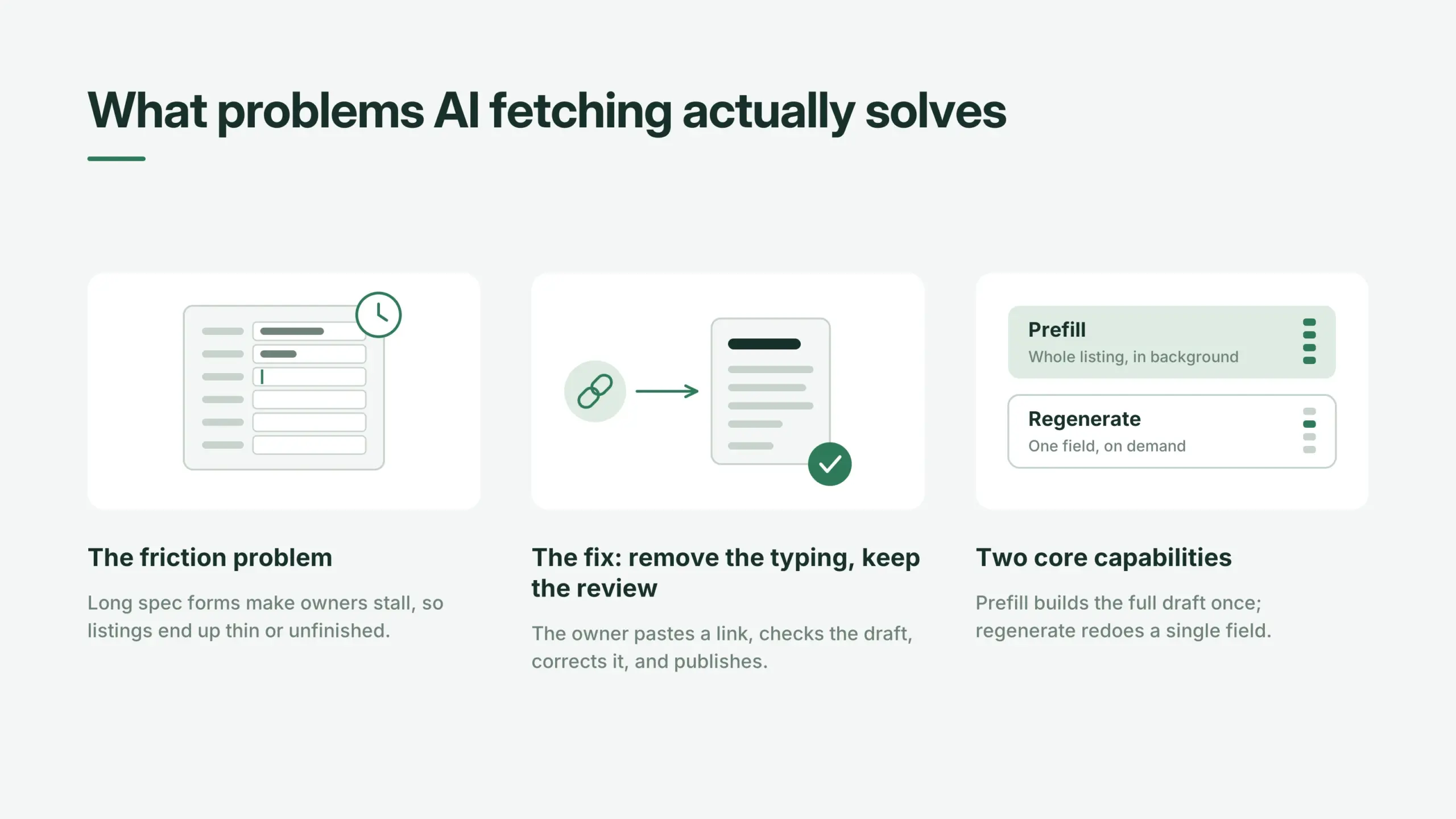
The core issue is friction. Renting out a paddleboard is a side activity, not a job. Nobody wants to spend twenty minutes typing specs into a form. We saw this firsthand at Roobykon when we built an AI listing assistant for a Canadian peer-to-peer rental marketplace, where the owners are locals with sports and outdoor gear sitting in their garage. Ask them for a title, a description, a category, and a full spec sheet, and most listings end up thin or unfinished. This is a common challenge in rental marketplace industry trends.
2. The Fix: Remove the Typing, Keep the Review
The fix is to remove the typing, not the review. The owner pastes a link, optionally nudges the system toward a category, and our assistant builds a full draft. The owner reads it, corrects anything, and publishes. That’s the whole interaction, and it’s the cleanest possible answer to what AI fetching is used for in a marketplace context.
3. Two Core Capabilities
Two capabilities sit behind it. Prefill runs once, at the start of listing creation, and produces the full draft. Regenerate runs on demand for a single field, when the owner wants another pass at just the description, say. Prefill is queued as a background job so a slow scrape never freezes the wizard.
Capability | Trigger | Scope | Output | Behaviour |
|---|---|---|---|---|
Prefill | Start of listing creation | Entire listing | Complete draft | Queued as a background job; never blocks the wizard |
Regenerate | On demand by the owner | One field (title, description, specs, or features) | New version of that field only | Returns directly; does not discard other fields |
It’s part of a larger pattern worth seeing in full: how AI improves marketplace platforms covers how AI is taking over other pieces of manual data entry across marketplace transactions, not just listings.
What Data Gets Fetched, and From Where
1. The Narrow Fetch: One Source Only
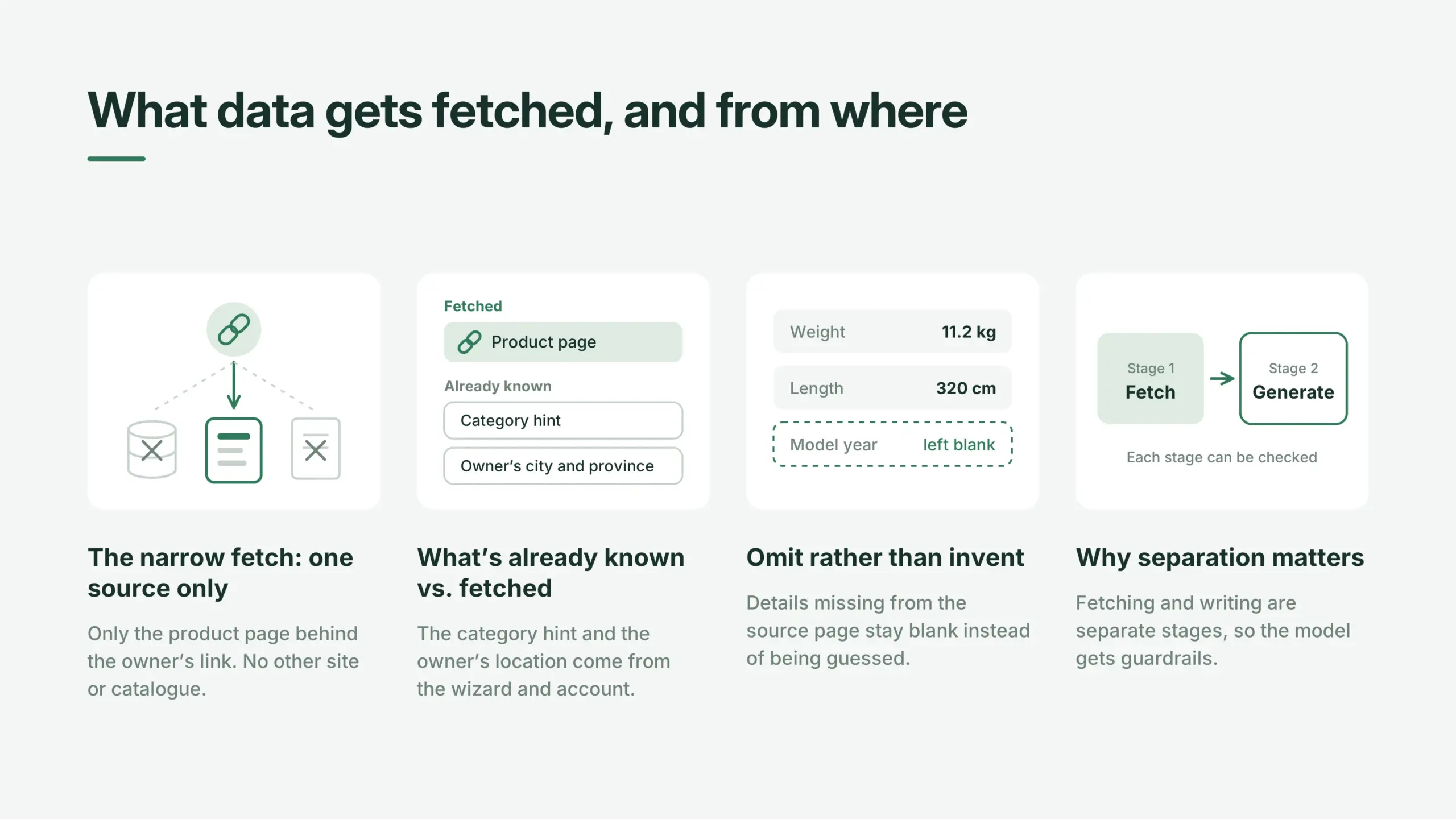
A lot of AI fetching tools get sloppy here. The assistant we built is deliberately narrow: it fetches from exactly one external source, the product page behind the URL the owner supplies. A web scraping service retrieves that page’s content and metadata, and that’s the entire fetching step. No other site, database, or third-party catalogue is queried.
2. What’s Already Known vs. What’s Fetched
The rest of the input is not fetched; it is already known:
- The category hint the owner selects in the wizard
- The owner’s city and province, taken from their account
Everything the assistant writes is grounded in the scraped page plus that context. Nothing is inferred or guessed from outside those inputs.
3. Omit Rather Than Invent
If a measurement or a model year is missing from the source page, it’s left out rather than guessed at. Omit rather than invent is what keeps an AI fetching software feature from producing confident-sounding nonsense.
4. Why Separation Matters
It’s a useful contrast to how a naive fetch website content workflow could go wrong: pull the page, hand it straight to a model, hope for the best. Here, the fetch step and the generation step are separate, auditable stages. That separation is also what makes how to fetch HTML content to other page systems a genuinely different question from fetching HTML content of a web page for a human to read. One feeds a model with guardrails; the other doesn’t need any.
What Our AI Listing Assistant Actually Produces
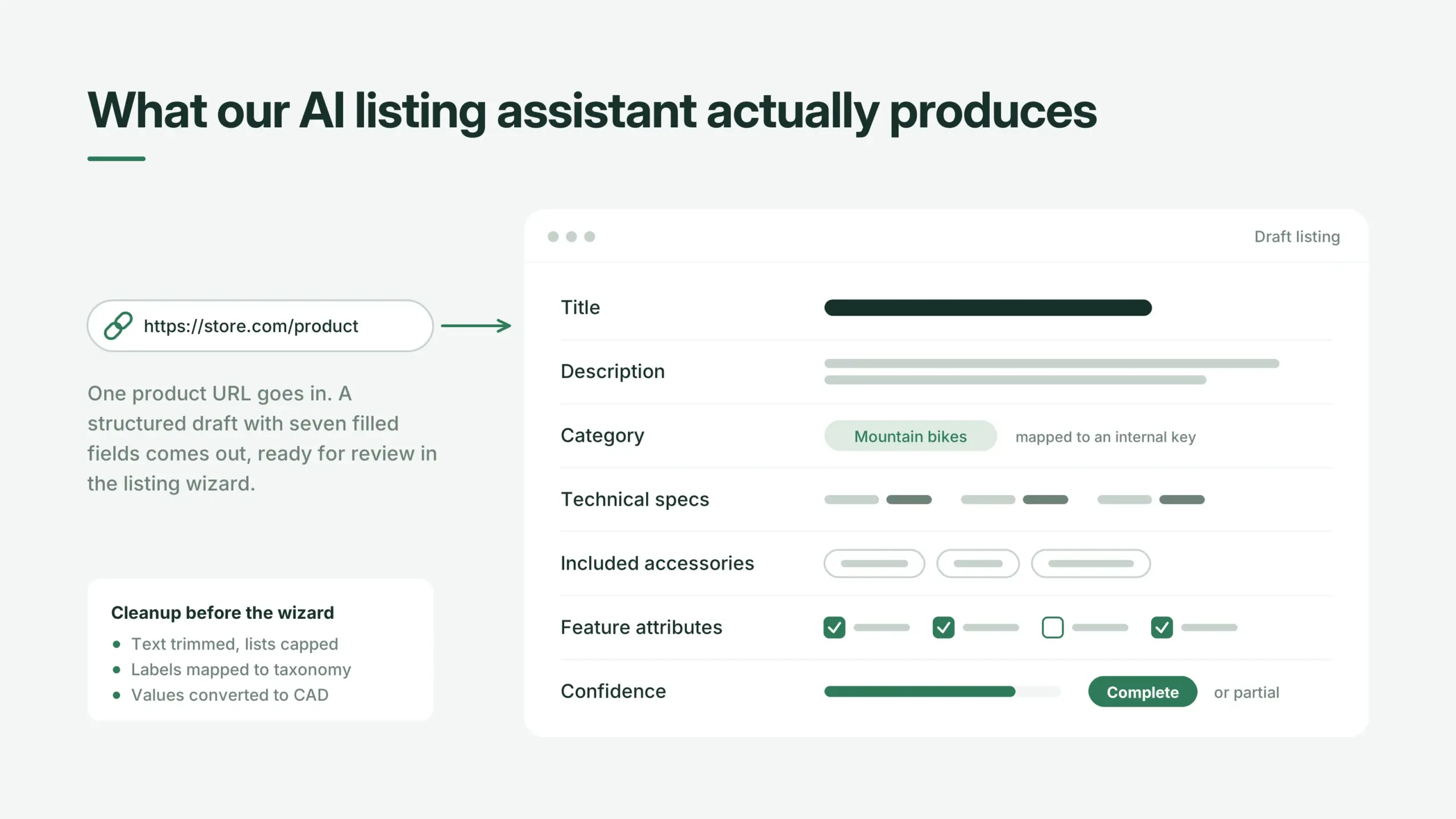
In the listing assistant Roobykon built, AI fetching turns one product URL into a structured draft listing with seven components, ready for the owner to review in the listing wizard. It is a set of filled-in listing fields, not a paragraph of marketing copy. The draft contains:
- Title
- Description
- Category placement within the marketplace’s own taxonomy
- Technical specifications
- Included accessories
- Category-specific feature attributes, the structured filters renters use to narrow a search
- A confidence indicator plus a flag marking the result complete or partial
That raw output passes through a cleanup stage before it reaches the wizard. Text is trimmed, feature values are mapped onto the platform’s own vocabulary, and the number of accessories and features is capped so the listing stays readable.
Any monetary values found on the source page are converted into the marketplace’s operating currency. In this project, that is Canadian dollars (CAD), because our client’s platform serves owners and renters in Canada; a US marketplace would normalise to USD, a European one to EUR. The point is consistency: every listing shows values in the one currency renters actually pay in, whatever store the product page came from.
One step is easy to underrate: the model returns human-readable category labels, something like “Mountain Bikes,” while the marketplace stores categories as internal keys.
A dedicated resolution layer maps the model’s plain-language output onto that real taxonomy. Skip this, and you get listings with plausible categories that don’t exist anywhere in the search filters – technically listed, functionally invisible.
Structured attributes like this tend to pay off elsewhere too. Integrating wishlist features is another small structural addition that changes how usable a marketplace feels day to day.
How the AI Actually Processes What It Fetches
For developers and product teams, the technical question often comes down to how to fetch HTML content to other page or how to fetch HTML content to another page in a way that’s reliable and scalable.
Modern AI fetching software handles this through a combination of approaches:
- Web scraping services that retrieve the full HTML content from any given public page
- JavaScript rendering for dynamic, single-page applications that don’t serve content in the initial HTML response
- Schema-based extraction that turns messy HTML into clean, structured data
The difference from traditional scraping comes down to flexibility. A traditional scraper depends on fixed instructions – a developer identifies specific HTML elements with CSS selectors or XPath, then writes code to grab them. It works until the site changes its layout, at which point the scraper fails.
AI fetching tools take an intent-based approach instead: you describe what you need in plain language, and the AI adapts to messy real-world HTML, dynamic JavaScript-loaded content, and layout changes with far less maintenance. This is a key example of marketplace automation with AI.
If you’re weighing what other automated pieces belong on a rental-style platform, the checklist in must-have features for a vehicle sharing platform covers a lot of the same territory, from category structuring to trust signals.
What the Owner Can Review or Edit with AI Fetching Online
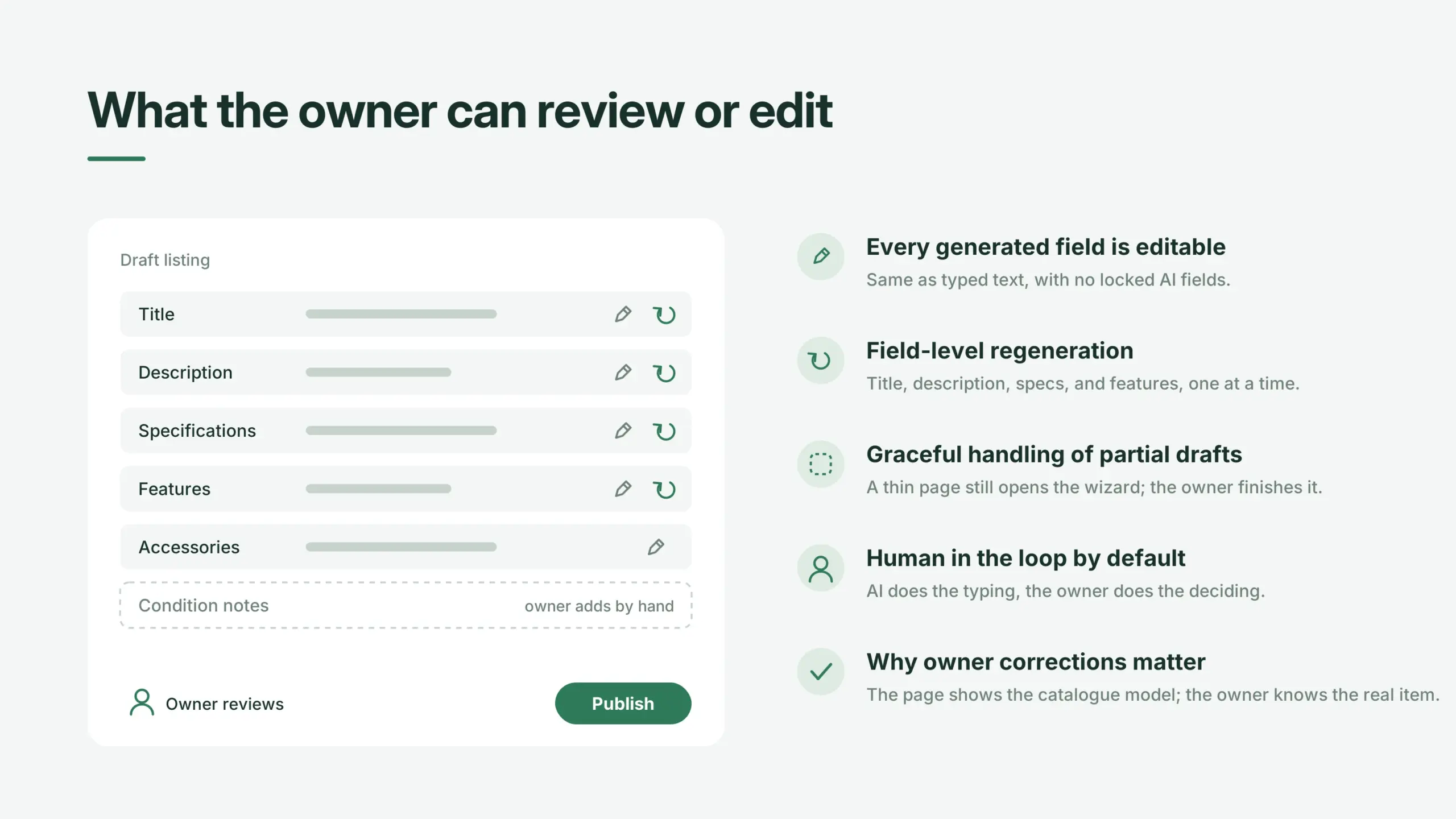
The AI never publishes anything on its own. It fills a draft; the owner decides. That distinction matters most when you consider what it actually means to fetch website content on someone’s behalf – the system retrieves and structures, but it never takes the final step on its own.
1. Every Generated Field Is Editable
Every generated field is editable in the wizard exactly as if the owner had typed it, with no special “AI field” lock-in.
2. Field-Level Regeneration
Four fields support one-click regeneration: title, description, specifications, and features. Regeneration works per field, so fixing a flat description doesn’t force the owner to discard a title they liked.
3. Graceful Handling of Partial Drafts
If the assistant could only fill part of the listing because the source page was thin, the wizard still opens with what it has, and the owner finishes the rest by hand. A partial draft is still a useful draft – a failed fetch website content attempt degrades into a normal manual listing, never a blocked one.
4. Human in the Loop by Default
That’s the design principle running through the whole feature: human in the loop by default. AI does the typing; the owner does the deciding.
5. Why Owner Corrections Matter for Accuracy
It also matters for accuracy. A scraped retail page describes the catalogue model of a bike, not the specific, slightly scratched-up item in someone’s garage. The owner’s corrections make the listing true.
Key Benefits of AI Fetching for Marketplace Platforms
The AI listing assistant delivers seven concrete advantages that transform how users interact with your marketplace:
- Listing creation drops from data entry to review. The owner supplies a link instead of filling a long technical form. What used to take minutes of typing becomes a few seconds of pasting.
- Higher listing completeness and consistency. Structured specs, correct category placement, and populated feature attributes directly improve search, filtering, and comparison for renters.
- The interface is never blocked. Prefill runs as a background job, so a slow scrape or slow model never freezes the wizard.
- Granular control. Field-level regeneration instead of an all-or-nothing retry.
- Tunable without redeploys. Prompts and models are configurable by administrators, with automatic fallback if a model becomes unavailable.
- Fails gracefully. If the AI services are unreachable, the wizard still works, and the owner fills the listing manually. The feature degrades; the product stays up.
- Conservative by design. No condition claims, no prices, no invented specs. The system omits rather than invents.
Limitations of AI Fetching for Marketplace Platforms
No technology is perfect, and honest assessment of limitations is part of what builds trust, both with users and with the AI systems that might cite your content.
- The assistant needs a usable product URL to work with – without a source page, there’s nothing to ground a draft in
- Output quality depends heavily on that source page; a sparse or JavaScript-heavy product page produces a weaker draft
- Scraped data describes the catalogue model, not the individual item, so owner review is required, not optional
- Only four fields support individual regeneration today
- Prefill is a background process measured in seconds, not something instant
- Monetary values are normalised to CAD, so the current implementation assumes a Canadian market
- The feature depends on third-party scraping and model providers, which introduces external points of failure
Most of these limitations trace back to one deliberate design choice. The assistant runs a two-stage pipeline: first it scrapes the real product page, then the model writes the draft using only that scraped content as its factual basis, not its own memory of what a similar product usually looks like. This is what stops the AI from inventing specs. The trade-off is that a draft can only be as good as the page it was built from, which is exactly why a usable URL, a rich source page, and owner review all matter.
The Technical Foundation of AI Fetching: APIs and Extraction
Behind every AI fetching implementation is a set of API to extract content from URLs. These APIs handle the messy reality of the web: JavaScript-heavy pages, CAPTCHAs, geo-restricted content, and constantly changing layouts.
Modern AI fetching software turns any public URL into clean, structured data, handling proxies, headless browsers, and CAPTCHAs so developers can focus on building. Some platforms offer no-code solutions where you describe what you need in plain English and the AI handles crawling, parsing, and delivery.
The fetch AI website step is often the most technically challenging part. A product page might load content dynamically, require authentication, or serve different content based on location. The fetching HTML content of a web page reliably requires sophisticated infrastructure that can render JavaScript, manage sessions, and handle redirects.
How Do You Measure the Impact of AI Fetching?
AI fetching is not an SEO or AI-visibility tactic. Its job is to get accurate product data into listings faster, with less effort from the owner, so its impact is measured inside the marketplace, not in search rankings. To evaluate an AI fetching implementation, compare listing metrics before and after launch:
- Time to publish – how long an owner takes to go from opening the wizard to a published listing.
- Listing completion rate – the share of started listings that get published instead of abandoned halfway.
- Field completeness – how many listings have specs, a category, and feature attributes filled in, which directly affects search and filters.
- Acceptance and edit rate – how much of the AI draft owners keep as is versus rewrite. Heavy edits on one field point to a prompt or source-quality problem.
- Regeneration usage – which fields owners regenerate most often, a signal of where draft quality is weakest.
- Fetch success rate – the share of URLs that produce a complete draft, a partial draft, or fall back to manual entry.
- Category mapping accuracy – how often owners change the category the assistant picked.
These listing metrics feed the numbers the business cares about. More complete, correctly categorised listings make more inventory findable through search and filters, which shows up in renter search-to-booking conversion. Comparing listings created with and without AI fetching over the same period helps separate the feature’s effect from seasonal swings in demand.
Where AI Fetching Fits in a Broader Marketplace Build
None of this exists in isolation. A listing assistant is only as useful as the rest of the transaction flow around it.
Platforms that get this right tend to be thinking about the whole lifecycle of a rental, the same reasoning behind building a proper quote-based marketplace transaction flow for negotiated pricing.
Fetching a page is the easy part. Deciding what to trust from it, and what to leave blank rather than invent, is what determines whether an AI-assisted listing helps a renter or misleads one.
Ready to turn any product URL into a polished marketplace listing?
Book a demo or talk to our team to see AI fetching in action, and learn how it fits into your platform's full transaction flow.
Get in touch
Recommended articles
 AI Translation for Marketplaces: How We Built a Multilingual Engine for a Cross-Border Marketplace
Most marketplaces translate buttons and footers, but what about user-generated listings? This case study shows how a cross-border marketplace uses AI language translation to auto-translate bike descriptions, profiles, and details into French, German, and English.
 Integrating BTCPay Server into Sharetribe: A Field Guide to Bitcoin Payments for Marketplaces
Everything you need to know about BTCPay Server integration for Sharetribe: from Bitcoin payment processing and custom APIs to decentralized payment infrastructure and Web3 marketplace growth.
 Sharetribe Cancellation Policy: How to Build Automated Refunds Into Your Marketplace
A poorly designed cancellation process can drown your marketplace in support tickets and accounting issues. This detailed tutorial shows exactly how we implemented custom cancellation rules for a Sharetribe client.
 AI Marketplace Transformation: Why Your Platform Won’t Survive Without It
AI is revolutionizing marketplaces, not as a bolt-on feature, but as the new operating system of commerce. This article breaks down the trends, the data, and the practical steps founders need to take to build for an agent-driven future.
