Which Social Login Authentication Options Marketplace Owners Usually Implement
What’s Required to Add Social Login in Sharetribe
Typical Problems Marketplace Owners Face with Social Login Authentication
Why Hiring a Marketplace-Focused Team For Social Network Authentication Is Better
Subscribe and you will promptly receive new published articles from the blog by mail
Data is the new oil, but acquisition is the refinery. And your refinery – the signup page – is often clogged with friction. For marketplace owners, the equation is simple: fewer clicks to sign up equals more users. Period. That’s why social login authentication has grown from a trendy feature to a core revenue driver. It lowers the barrier to entry, increases data accuracy, and accelerates the network effects your marketplace desperately needs.
Out of the box, Sharetribe provides the heavy hitters, allowing you to easily implement both Facebook and Google login. But what if your demographic skews professional? What if you’re targeting the privacy-conscious iOS user? Sticking strictly to the defaults could mean leaving money on the table. To truly capture your audience, you need to know how to implement social login for platforms like LinkedIn and Apple, turning a simple signup into a strategic advantage.
Over the years, Roobykon has helped marketplaces do exactly that. We’ve navigated the tricky waters of how to implement a social login on Sharetribe for niche providers, ensuring that the authentication process fuels growth rather than hindering it. Let’s look at how you can turn those login buttons into your most effective marketing tool.
Which Social Login Authentication Options Marketplace Owners Usually Implement
The choice of social network authentication is often a direct reflection of your target demographic. While the default how to integrate social login guides cover the giants, a strategic approach requires looking at your user base.
The Default Duo (Google & Facebook)
These are the non-negotiables. Social authentication Google and Facebook cover a massive portion of the global internet user base. In Sharetribe, enabling these is relatively straightforward because the heavy lifting is done for you. They are the expected baseline; their absence would feel like a missing tooth.
The Apple Factor
If you have a significant number of users on iOS devices or operate in Apple‑heavy regions, offering Sign in with Apple is still a strong trust signal and can improve conversion, even though Apple no longer strictly requires it whenever you use other social logins. It clearly communicates a privacy‑focused option for users who are wary of sharing data with Meta or Google.
The Professional’s Choice (LinkedIn)
For B2B marketplaces, freelance hubs, or professional service exchanges, LinkedIn is the holy grail. Implementing Twitter social login (now X) might be for media sites, but LinkedIn provides pre-validated professional credibility. It allows users to sign up without manually entering their work history, creating richer profiles instantly.
While the Sharetribe Facebook login is a built-in feature, extending beyond this requires a deeper understanding of the platform’s architecture.
What’s Required to Add Social Login in Sharetribe
How to implement a social login on Sharetribe for providers like Apple or LinkedIn isn’t something you toggle on in the Console. It requires a custom code implementation. The new Sharetribe provides a robust API for this, but you have to connect the dots yourself.
The process generally follows the OAuth2/OpenID Connect flow, which Sharetribe documents clearly. It means that to implement both Facebook and Google login AND add custom ones, you need a development environment where you can modify the backend API routes and manage environment variables securely.
Typical Problems Marketplace Owners Face with Social Login Authentication
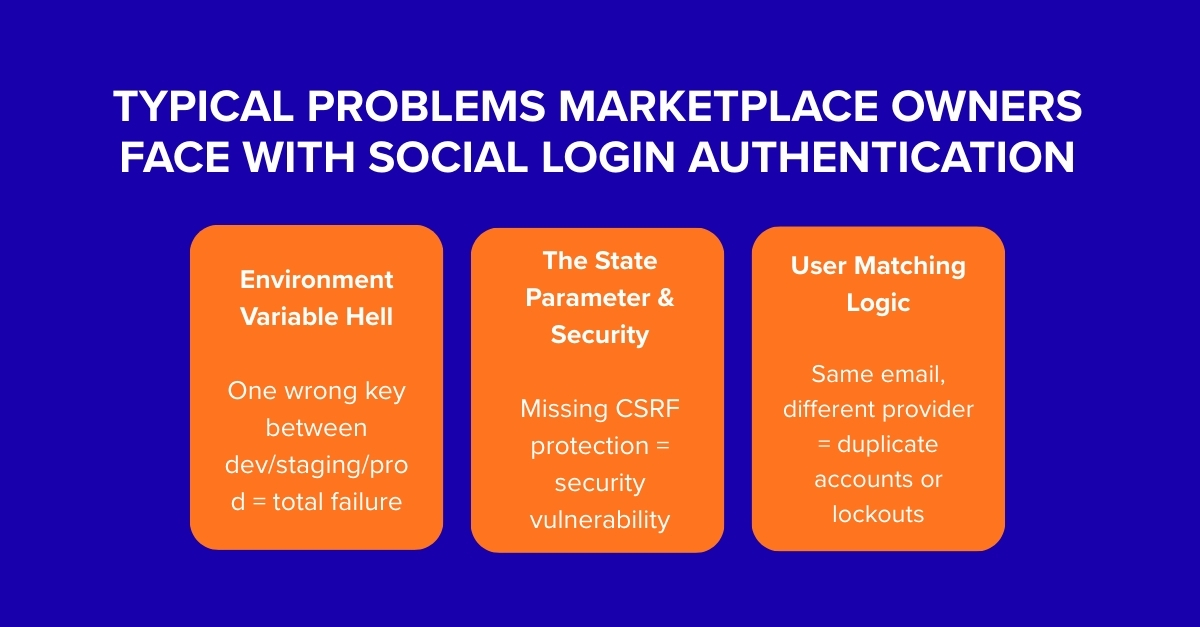
When DIY-minded founders or generalist developers attempt this, they often run into a wall of frustration. Here are the most common pitfalls in how to implement social login on Sharetribe:
- Environment Variable Hell: Custom logins require storing sensitive keys (like CLIENT_SECRET) as environment variables in your hosting environment and the Sharetribe Web Template. Mismatching these between your local development, staging, and production servers is a recipe for disaster.
- The State Parameter & Security: Proper OAuth flows require a “state” parameter to prevent CSRF attacks. Handling this correctly within the React library implementation of the Sharetribe template is non-trivial. When building custom Sharetribe social login features, security can’t be an afterthought.
- User Matching Logic: What happens when a user signs up with Google, but later tries to log in with the same email using Apple? Sharetribe handles this if the emails are verified and match, but ensuring this logic works seamlessly with your custom implementation requires careful testing. You don’t want to accidentally create duplicate accounts.
Why Hiring a Marketplace-Focused Team For Social Network Authentication Is Better
Why gamble your marketplace’s user experience on a trial-and-error approach? Partnering with a team like Roobykon, which eats, sleeps, and breathes Sharetribe, turns a risky project into a streamlined upgrade.
A generalist developer has to learn Sharetribe’s specific API authentication methods from scratch. They have to decipher how the Web Template manages sessions and environment variables. We’ve already done that thousands of times.
We know the exact endpoints to hit, the precise error messages to look for in the logs, and the best practices for storing your secrets securely. We’ve already navigated the maze of Apple’s Sign in with JavaScript and LinkedIn’s OAuth 2.0 scope management. When you hire Roobykon, you’re not paying for learning; you’re paying for instant, reliable execution. You’re buying back your time and ensuring your users have a flawless first impression.
Got a Question? We’re Here to Help!
Submit your question and get a response from one of our software experts. No question is too small. We’re here to provide clarity and guide you through your decision-making process.
Ask Your QuestionSocial Login Integration Case Studies: Roobykon in Action
The proof is in the products we’ve built. While Google and Facebook authentication are available by standard in Sharetribe, our team has successfully extended the platform’s reach to include more specialized providers for our clients.
Connecting Professionals with LinkedIn: Hub Live
For Hub.live, the goal was to create a premium environment for professionals. Standard email/password or even Facebook logins felt too casual. The client needed the credibility and network effect that comes with social network authentication via LinkedIn.
We stepped in to architect and implement the custom social login integration for LinkedIn. This allowed users to sign up with their professional identities, importing their experience and network in one click. The result was a higher barrier to entry that ensured quality and trust, which is exactly what a professional hub needs. Users felt instantly at home, knowing they were interacting with verified peers.
Embracing the Apple Ecosystem: Rentfromlocals & DriveMate
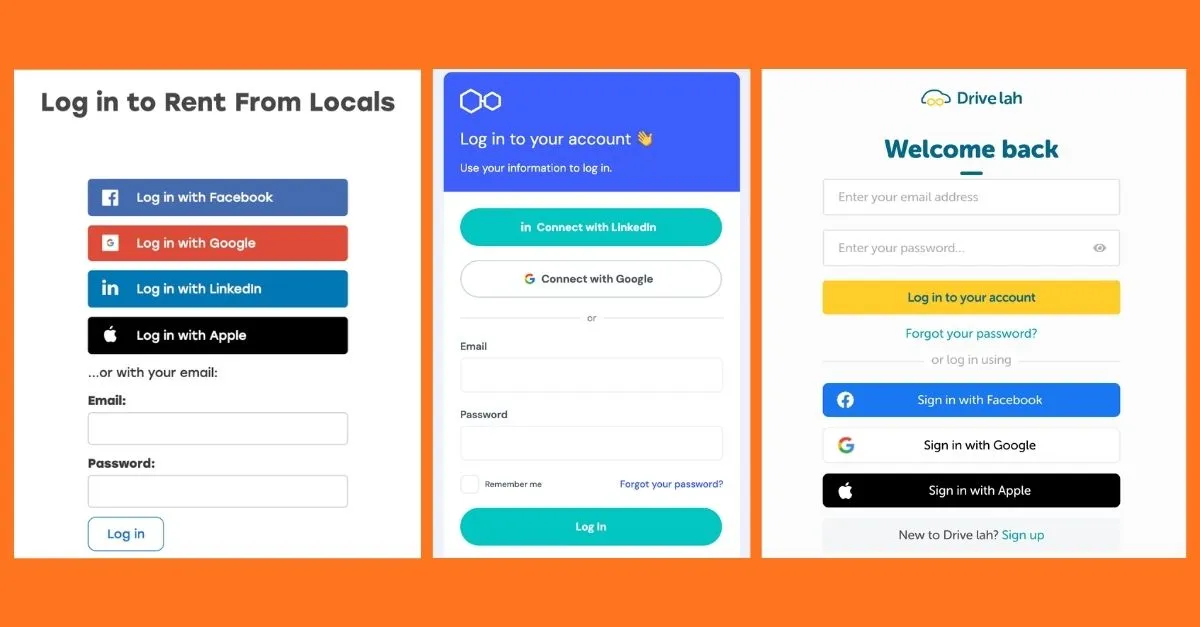
Two of our projects, Rentfromlocals.al and Drive lah , highlight the growing importance of Apple in the authentication landscape. Both marketplaces serve users who are likely on mobile devices – travelers looking for local experiences in Albania and car renters in Singapore.
Our task was to implement Apple Login on both RentFromLocals and DriveLah. This required a deep dive into Apple’s private email relay (Hide My Email) and their specific authentication requirements. We ensured that users could sign up with the tap of a finger, trusting that their privacy was respected. This integration significantly reduced friction for iOS users, leading to higher conversion rates on sign-up forms. It also future-proofed the marketplaces against any app store guidelines that might require Apple Sign-In.
Don’t Let a Clunky Login Steal Your Next Customer
The path to a flawless social login integration is paved with technical nuance. It requires understanding the OAuth dance, securing redirects, and managing state. That’s where we come in. Let Roobykon handle the complex how to integrate social login puzzle so you can focus on building a thriving community. Don’t let a clunky login be the reason your next great user clicks away.
The path to a flawless social login integration is paved with technical nuance. It requires understanding the OAuth dance, securing redirects, and managing state. That’s where we come in.
Let Roobykon handle the complex how to integrate social login puzzle so you can focus on building a thriving community. Don’t let a clunky login be the reason your next great user clicks away.
Have a project in mind? We’d love to hear about it. Reach out to Roobykon and let’s discuss how we can make your Sharetribe marketplace stand out.

Recommended articles
 Sharetribe Marketplace Payments: PayPal, Apple Pay, Google Pay, and more
Lost sales at checkout? Your payment options could be to blame. This essential guide explores how to configure Sharetribe marketplace payments, from integrating PayPal and digital wallets like Apple Pay to leveraging Stripe's powerful gateway.
 Why Your Business Can Benefit From Having a Mobile App
As more and more people become mobile users, marketers strive to reach them via their devices. This is where mobile applications come in handy. Let's find out why you need a mobile app and how to make the most of it.
 How to Build a Mobile App for Your Sharetribe Marketplace
Your marketplace deserves more than just a mobile-friendly site — it needs a true app experience. In this guide, we’ll show you how to build a Sharetribe mobile app by combining Sharetribe’s backend with a custom mobile frontend.
 How to Hire a Sharetribe Developer
Sharetribe gives you the engine, but turning it into a product your users love takes experience. This guide breaks down how to hire Sharetribe developers who understand growth, UX, APIs, and the real-world dynamics of online marketplaces.